# Reports
Two built-in reports for auditing activity and access. From [Settings](/admin/settings/), click **Reports**.

**Name** | **Description**
:--- | ---
[Activity Report](#activity-report) | Filter recent CMS activity by date range, user, and file to review who changed what.
[Content Review Report](#content-review-report) | Choose one user and review all pages and module posts they can access, including link summaries and CSV export.
## Activity Report
**Name** | **Description**
:--- | ---
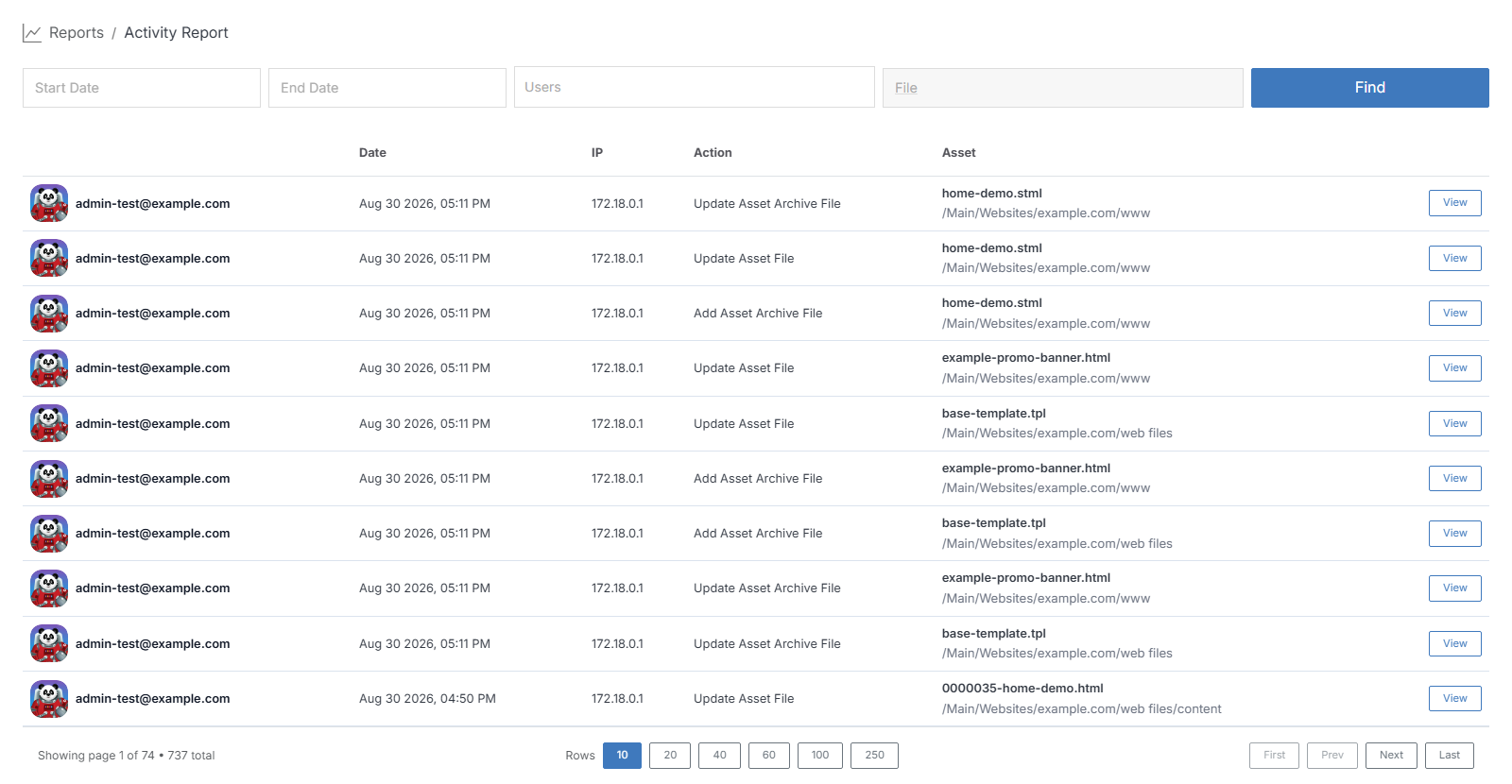
Start Date / End Date | Restrict results to a date range.
Users | Filter to one or more users.
File | Filter to activity on a specific file.
Find | Run the filters.
Results show, per action: the user, date, IP address, the action taken (Update Asset File, Add Asset Archive File, and so on), and the asset affected with its full path. Click **View** on a row to open that asset.
## Content Review Report
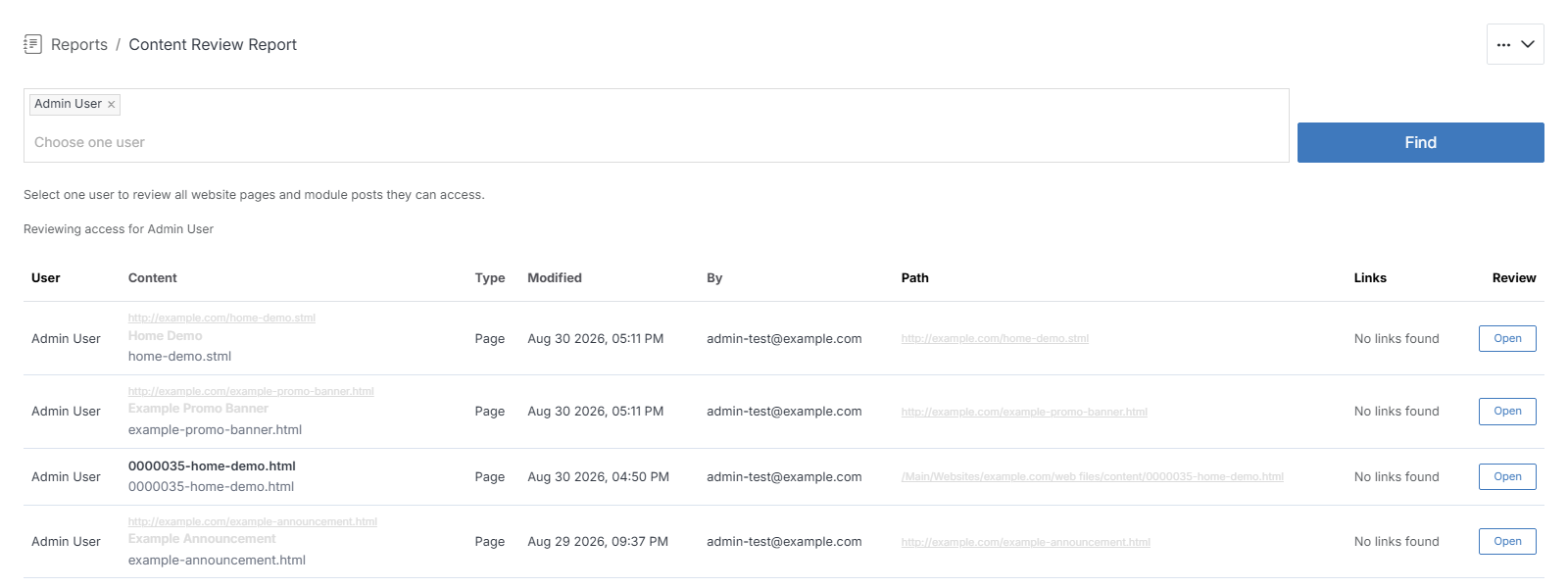
Choose one user, then click **Find**. The report lists every page and module post that user can access -- content name, type, when and by whom it was last modified, its path, and a link summary -- with **Open** on each row to jump to that item. Useful for confirming exactly what a given user's permissions grant them before or after a permissions change.