# Workflow Overview
Edit or delete an existing workflow rule. Click a rule's name from [Workflow](/admin/settings/workflow/) to open it.
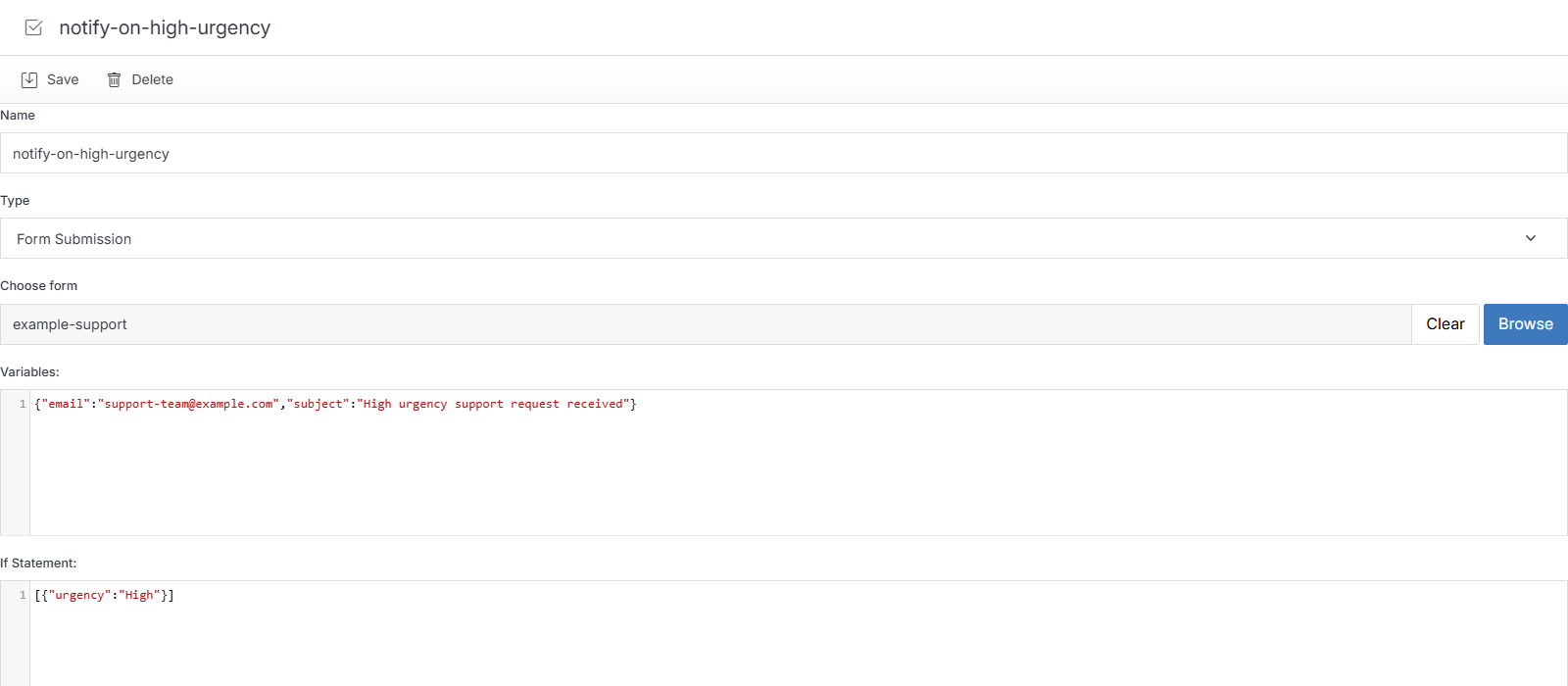
**Name** | **Description**
:--- | ---
Name | The workflow's internal name.
Type | The trigger type -- see [Add Workflow](/admin/settings/workflow/add-workflow/).
Choose form (or Choose Datable / Choose Module, depending on Type) | Which object this rule is scoped to.
Variables | Raw JSON -- the notification details (for example, `{"email":"...","subject":"..."}`). Edited automatically by the friendly form when you build a rule normally; edit directly here for advanced changes.
If Statement | Raw JSON -- the condition, if any (for example, `[{"urgency":"High"}]`). An empty `[]` means the rule always fires.
Save | Apply your changes.
## Delete
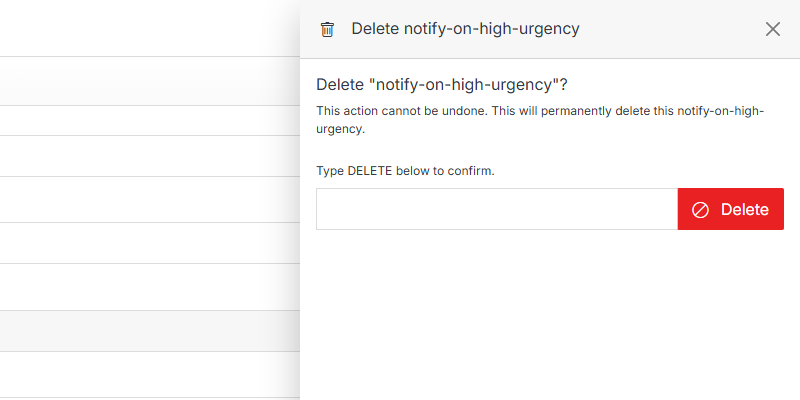
**Name** | **Description**
:--- | ---
Type DELETE to confirm | Type **DELETE** (all caps) to enable the button.
Delete | Permanently deletes this workflow rule. This can't be undone.