# Update Folder
Change a folder's own name, title, and description, map it into a website's navigation, or delete it. From a folder's page, open the **...** menu and click **Update**.
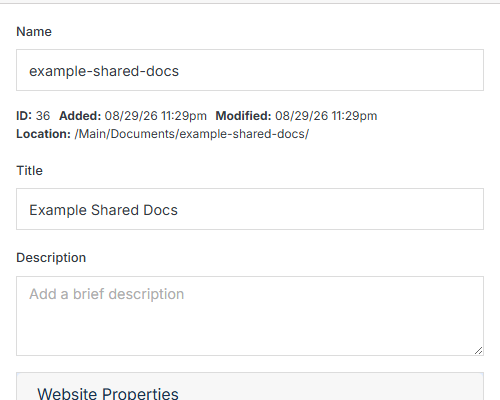
**Name** | **Description**
:--- | ---
Name | The folder's internal name.
Title | The folder's display title.
Description | An optional description.
## Website Properties
Optionally map this folder into a website's front-end navigation.
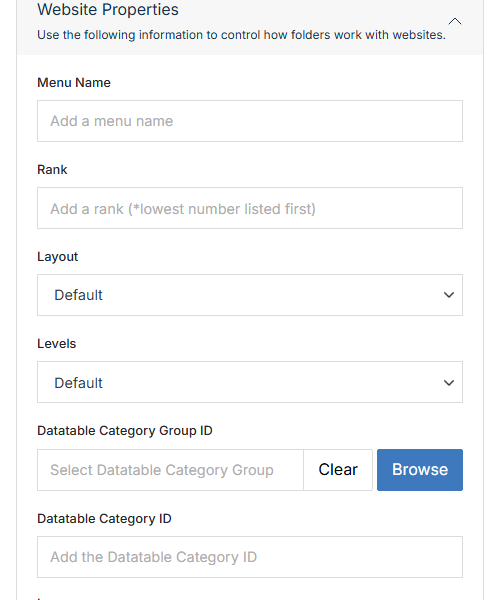
**Name** | **Description**
:--- | ---
Menu Name | The label shown for this folder in navigation menus.
Rank | Where this folder sorts among its siblings in navigation. Lowest number listed first.
Layout | Which predefined layout template controls how this folder's contents render in navigation.
Levels | How many levels deep this folder's own contents show in navigation.
Datatable Category Group ID / Datatable Category ID | Associate this folder with a specific category group/category.
## Advanced
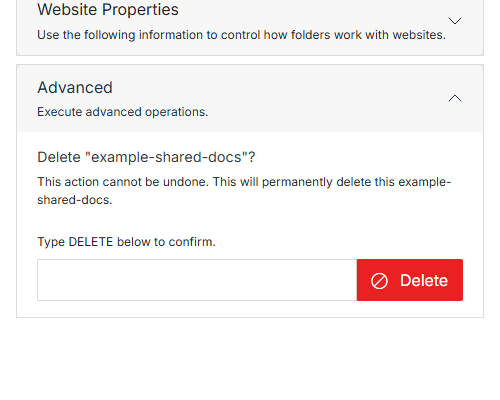
**Name** | **Description**
:--- | ---
Type DELETE to confirm | Type **DELETE** (all caps) to enable the button.
Delete | Permanently deletes this folder and everything in it. This can't be undone.