# Modify
Change a form's own settings. From the form's overview page, click **Modify**. A Module Form's Modify panel is built on the same underlying schema as [Module Overview's Modify](/modules/module-overview/modify/) -- Grid Display, Table Schema, and API Info work identically -- with two form-specific additions: Email Options and Relationships.
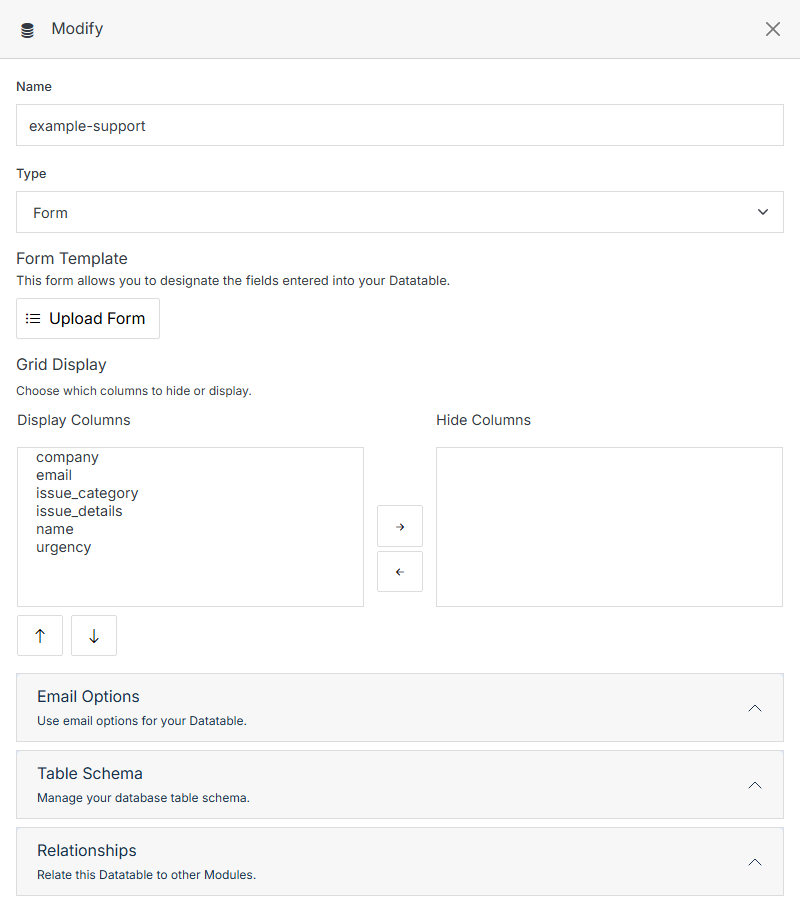
**Name** | **Description**
:--- | ---
Name | The form's internal name.
Type | Form (read-only once created).
Form Template | Upload a custom form template for the Add Entry form.
Grid Display -- Display/Hide Columns | Choose which schema fields show as columns in the submissions grid.
## Email Options
Get notified when someone submits the form.
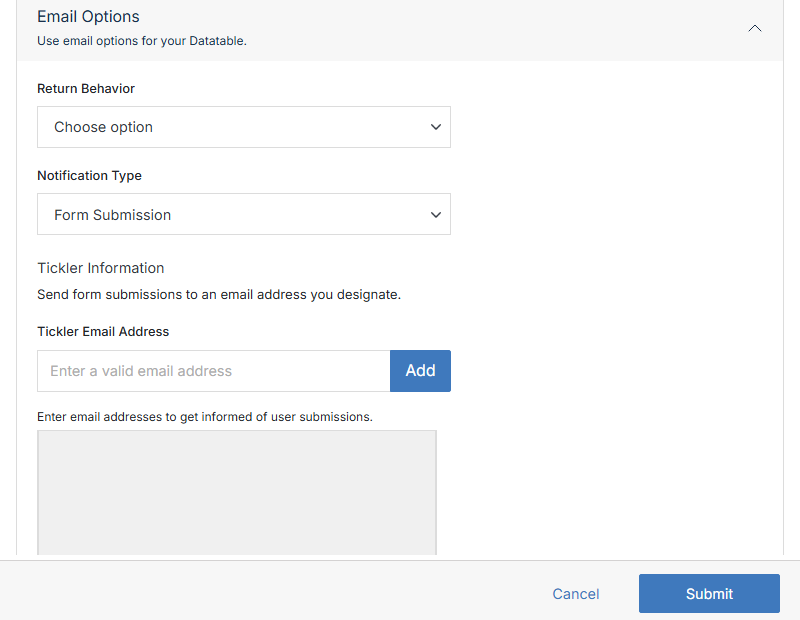
**Name** | **Description**
:--- | ---
Return Behavior | What happens in the visitor's browser after they submit -- redirect to a URL, or show a custom uploaded return page.
Notification Type | What triggers a notification email (Form Submission, and other options).
Tickler Email Address | Add one or more email addresses to notify on each submission.
### Customizing the email template
The form's own template is reused for the notification email, so keep a few things in mind if you want that email to look right:
- Give the submit input `type="submit"` -- otherwise the submit button itself shows up in the email body.
- Input values are converted to `input value
` in the generated email.
- For more layout control, build the form's fields inside an HTML table.
## Table Schema
Add, edit, or remove the fields a submission can have -- identical to [Module Overview's Table Schema](/modules/module-overview/modify/#table-schema).
## Relationships
Relate this form's entries to another module.
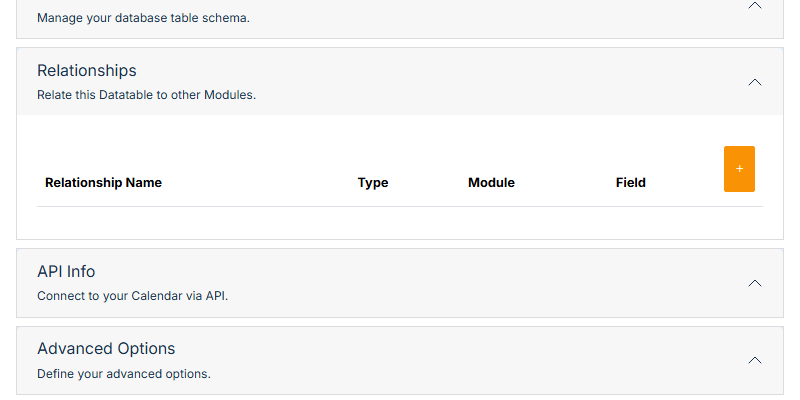
**Name** | **Description**
:--- | ---
Relationship Name | A label for the relationship.
Type | One-to-one, one-to-many, or many-to-many.
Module | Browse to the related module.
Field | Which field on that module the relationship uses.
**+** | Add a new relationship row.
## API Info
Connection details for reading this form's submissions via the REST API -- identical to [Module Overview's API Info](/modules/module-overview/modify/#api-info).
## Advanced Options
Most of this section matches [Module Overview's Advanced Options](/modules/module-overview/modify/#advanced-options) (Custom Icon, Geo-Coded Fields, Field Name to use in URL, Error Document, Asset Fields, Post Processing, Export/Delete), plus a few fields specific to public-facing forms:
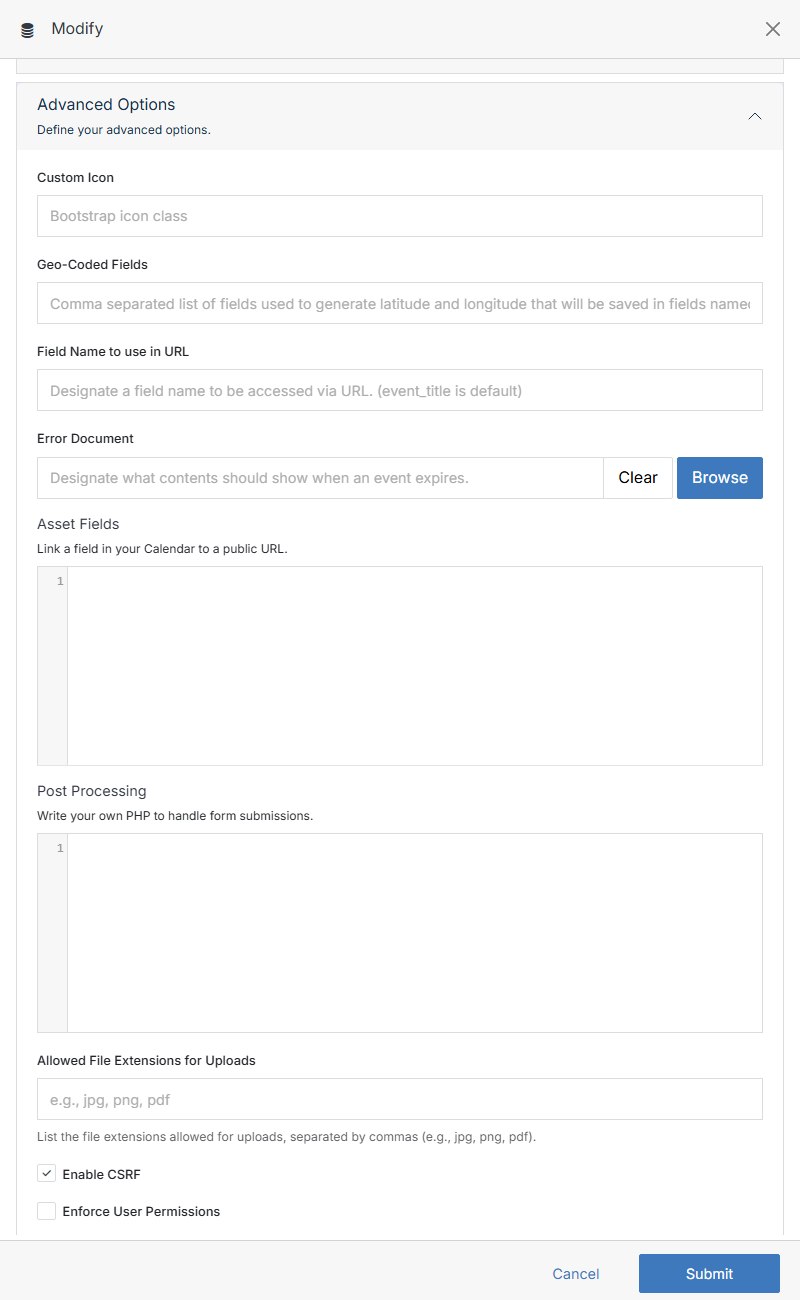
**Name** | **Description**
:--- | ---
Allowed File Extensions for Uploads | Comma-separated list (e.g. `jpg, png, pdf`) restricting what visitors can attach via a File field.
Enable CSRF | Checked by default -- protects the form against cross-site request forgery.
Honeypot Protection | Adds a hidden field real visitors never fill in -- submissions that fill it are silently treated as spam.
Enable Captcha | Require a CAPTCHA challenge before the form can be submitted.
Block Anonymous Submissions | Require a logged-in contact session to submit.
Flat Entries | Store subtable values as flat entries instead of nested ones.
Sanitize URLs from submissions | Strip URLs out of submitted field values before they're saved.
Enforce User Permissions | Require a logged-in, permitted user to submit.