# Delete
There are two separate delete actions on a module's overview page: deleting individual entries, and deleting the whole module.
## Delete Entries
Select one or more entries with their row checkboxes, then click **Delete** in the toolbar that appears.
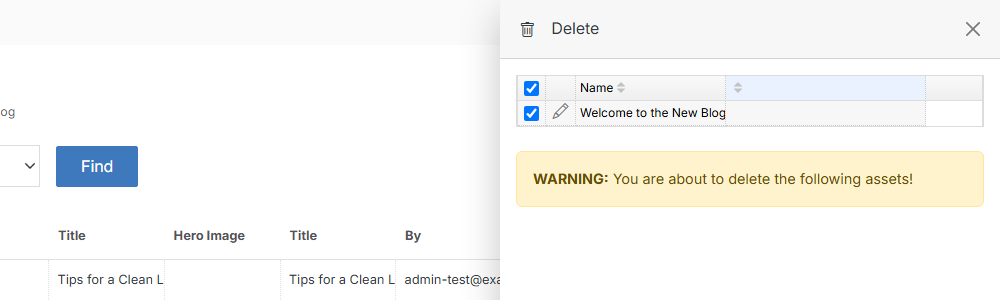
The flyout lists exactly what you selected and warns that the action can't be undone.
**Name** | **Description**
:--- | ---
Submit | Click **Submit** to permanently delete the selected entries.
## Delete the module
Deleting the whole module (and every entry in it) lives inside [Modify](/modules/module-overview/modify/)'s **Advanced Options** section, not the main toolbar.
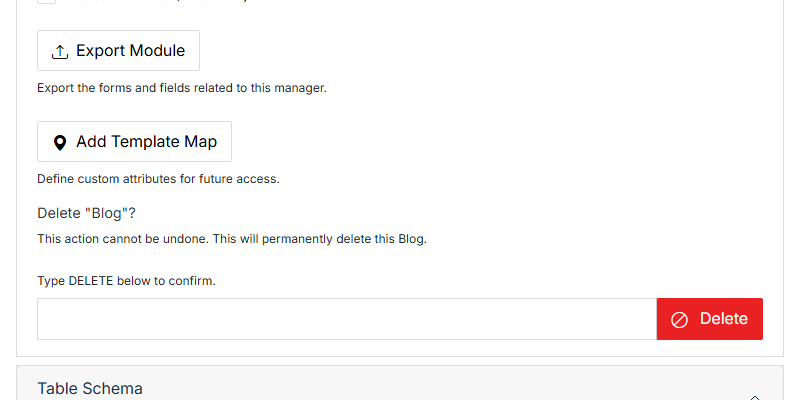
**Name** | **Description**
:--- | ---
Type DELETE to confirm | Type **DELETE** (all caps) into the field to enable the button.
Delete | Permanently deletes the module and all its entries. This can't be undone.
!!!danger Warning:
Deleting a module removes every entry in it along with the module itself. If you only want to remove some content, use Delete Entries above instead.
!!!