# Modify
Change a module's own settings -- its name, the columns entries can have, and how it's displayed and connected. From the module's overview page, click **Modify**.
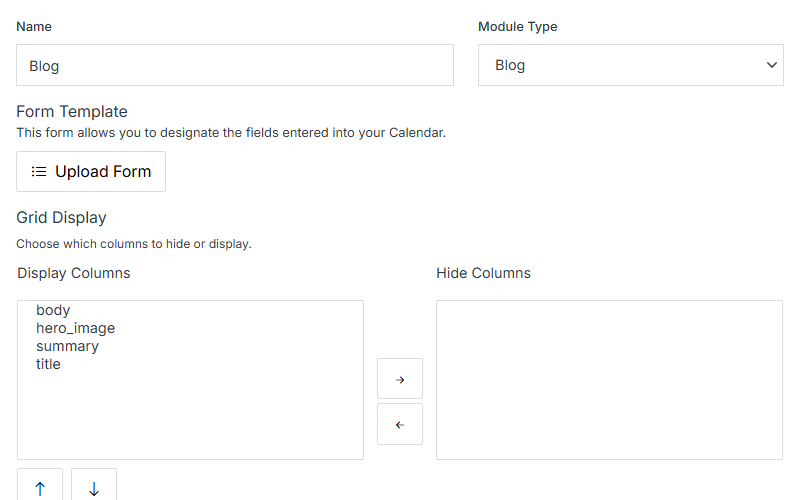
**Name** | **Description**
:--- | ---
Name | The module's internal name.
Module Type | Which prebuilt type this module is based on (or Custom).
Form Template | Upload a custom form template for the Add/Edit Entry form, instead of the default generated one.
Grid Display -- Display/Hide Columns | Choose which schema fields show as columns in the entries grid, and reorder them with the arrows.
The rest of Modify is organized into four collapsible sections.
## Website Properties
Map the module to the front end -- templates, a detail folder, and categories.
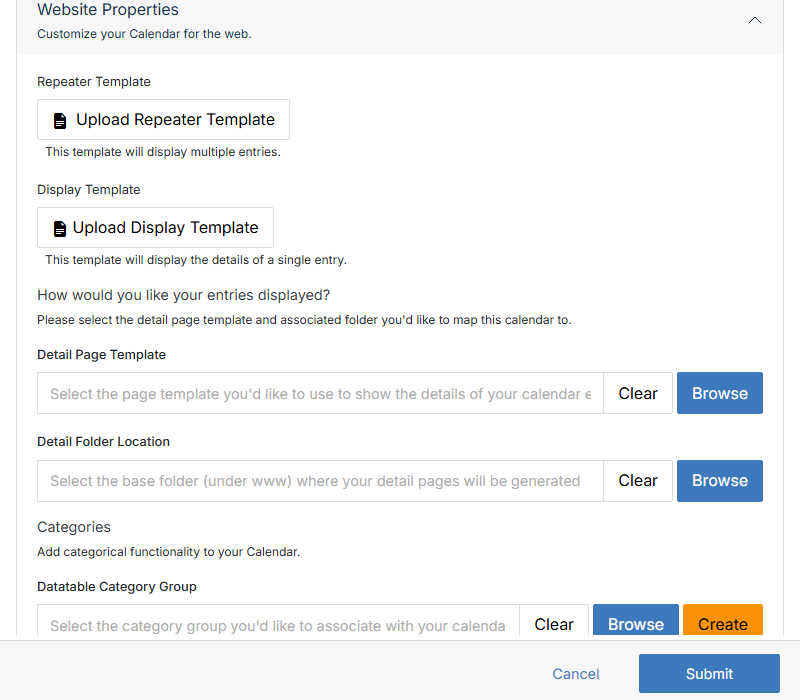
**Name** | **Description**
:--- | ---
Repeater Template | Upload the template used to display multiple entries together (a list/grid view).
Display Template | Upload the template used to display a single entry's details.
Detail Page Template | Browse to the page template used to render each entry's detail page.
Detail Folder Location | Browse to the base folder (under `www`) where detail pages are generated.
Datatable Category Group | Browse to or Create a category group to associate with this module.
## Advanced Options
Less common settings, plus Export and Delete.
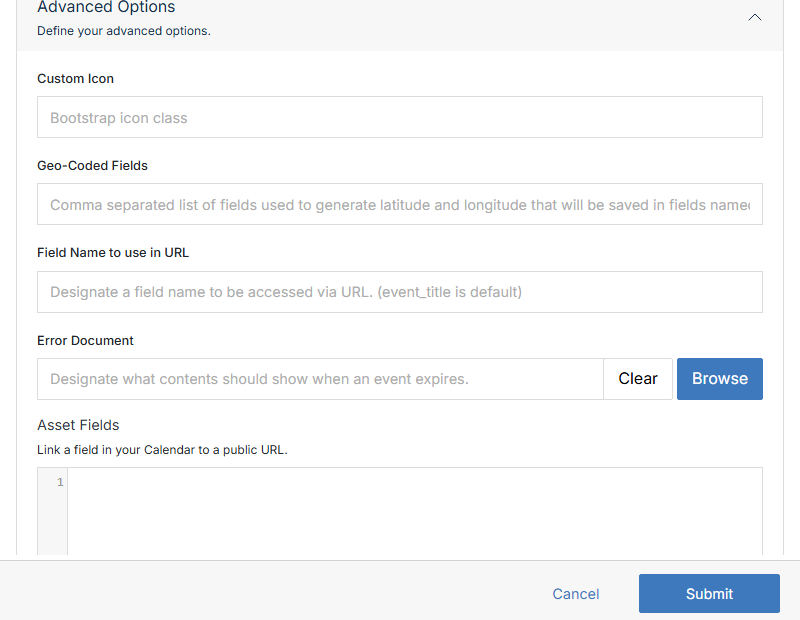
**Name** | **Description**
:--- | ---
Custom Icon | A Bootstrap icon class to represent this module in the UI.
Geo-Coded Fields | Comma-separated field names used to generate latitude/longitude, saved into `lat`/`lng` fields.
Field Name to use in URL | Which field's value appears in the entry's URL (`event_title` is the default).
Error Document | Browse to the content shown when an entry has expired (past its Stop date).
Asset Fields | Link a field in this module to a public URL.
Enable Attachments / Gallery, Enforce User Permissions, Enable User Groups, Protect Fields, Enable Website Mapping, Resave All Entries (On Submit) | Checkboxes toggling each of these behaviors for the module.
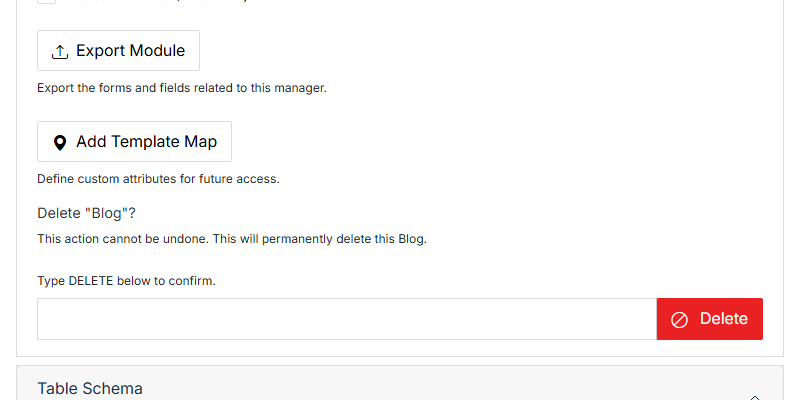
**Name** | **Description**
:--- | ---
Export Module | Downloads the module's own schema/form definition (not its entries -- see [Export](/modules/module-overview/export/) for entry data).
Add Template Map | Define custom attributes for future access.
Delete | Permanently deletes the whole module and all its entries. Type **DELETE** into the confirmation field first -- this can't be undone.
## Table Schema
Add, edit, or remove the columns entries in this module can have.
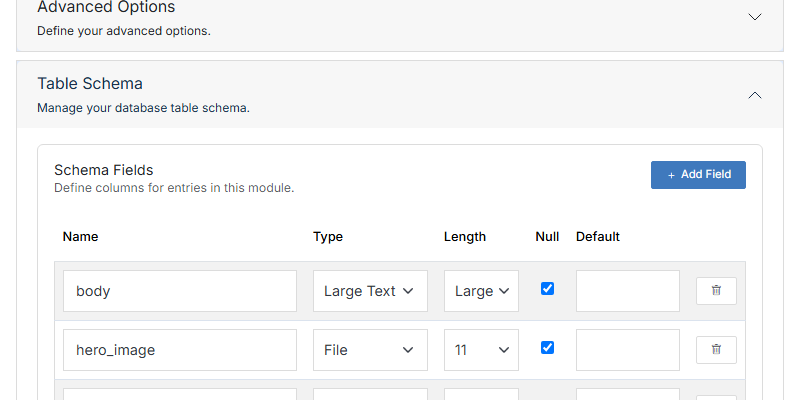
**Name** | **Description**
:--- | ---
Name | The column's internal field name.
Type | The field's data type (Character, Large Text, File, and so on).
Length | Maximum length/size for the field.
Null | Whether the field can be left empty.
Default | A default value assigned when a new entry is created.
**+ Add Field** | Add a new column. Use the trash icon on a row to remove one.
## API Info
Connection details for reading this module's entries via the REST API.
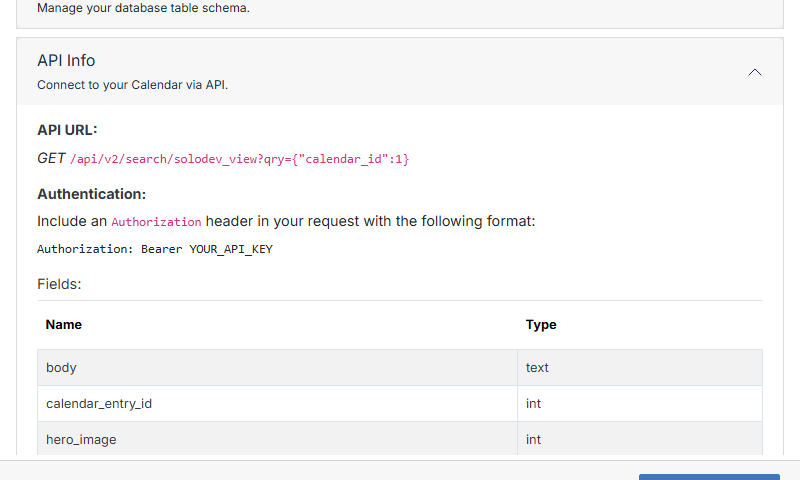
The panel shows the real `GET` endpoint for this specific module, the `Authorization: Bearer` header format required to call it, and a Fields table listing every column exposed by the API. See [API](/admin/api/) for the platform-wide API reference.