# 

<link rel="stylesheet" href="/static/custom.css">

<div class="header">
  <div class="inner">
    <img src="../../images/quickstart/cms-eks-logo.jpg" alt="CMS for EKS Logo">
    <div>
      <h1>CMS for EKS</h1>
      <p style="margin-bottom: .5rem;">A fully containerized version of Solodev CMS orchestrated via <br>AWS EKS (Elastic Kubernetes Service).</p>
      <p class="mb-0"><a href="../../images/quickstart/kubernetes/solodev-eks-architecture.jpg" rel="noopener noreferrer" target="_blank">Diagram <svg xmlns="http://www.w3.org/2000/svg" class="docs-icon" viewBox="0 0 24 24" role="presentation" width="16" height="16" style="display: inline; vertical-align: middle;"><g fill="currentColor"><path d="M15.5 2.25a.75.75 0 0 1 .75-.75h5.5a.75.75 0 0 1 .75.75v5.5a.75.75 0 0 1-1.5 0V4.06l-6.22 6.22a.75.75 0 1 1-1.06-1.06L19.94 3h-3.69a.75.75 0 0 1-.75-.75Z"></path><path d="M2.5 4.25c0-.966.784-1.75 1.75-1.75h8.5a.75.75 0 0 1 0 1.5h-8.5a.25.25 0 0 0-.25.25v15.5c0 .138.112.25.25.25h15.5a.25.25 0 0 0 .25-.25v-8.5a.75.75 0 0 1 1.5 0v8.5a1.75 1.75 0 0 1-1.75 1.75H4.25a1.75 1.75 0 0 1-1.75-1.75V4.25Z"></path></g></svg></a></p>
    </div>
  </div>
  <a class="btn-orange-lg" href="https://aws.amazon.com/marketplace/pp/prodview-s7tpcn3m7fuf6" rel="noopener noreferrer" target="_blank">SUBSCRIBE <span><svg xmlns="http://www.w3.org/2000/svg" viewBox="0 0 16 16" width="20" height="20" fill="#fff"><path d="M3.75 2h3.5a.75.75 0 0 1 0 1.5h-3.5a.25.25 0 0 0-.25.25v8.5c0 .138.112.25.25.25h8.5a.25.25 0 0 0 .25-.25v-3.5a.75.75 0 0 1 1.5 0v3.5A1.75 1.75 0 0 1 12.25 14h-8.5A1.75 1.75 0 0 1 2 12.25v-8.5C2 2.784 2.784 2 3.75 2Zm6.854-1h4.146a.25.25 0 0 1 .25.25v4.146a.25.25 0 0 1-.427.177L13.03 4.03 9.28 7.78a.751.751 0 0 1-1.042-.018.751.751 0 0 1-.018-1.042l3.75-3.75-1.543-1.543A.25.25 0 0 1 10.604 1Z"></path></svg></span></a>
</div>

<p style="margin: .75rem 0 1.5rem;">Already subscribed? <a class="btn-blue-lg" href="https://console.aws.amazon.com/cloudformation/home?region=us-east-1#/stacks/create?stackName=solodev-cms-eks&templateURL=https://s3.amazonaws.com/solodev-cms/cloudformation/solodev-cms-eks.yaml" target="_blank" rel="noopener noreferrer" style="padding: .35rem 1.75rem; font-size: .85rem;">LAUNCH <span><svg xmlns="http://www.w3.org/2000/svg" viewBox="0 0 16 16" width="16" height="16" fill="#fff"><path d="M9.5 2c-1.955 0-3.9.685-5.256 1.918a.75.75 0 0 0-.244.55v2.084L2.276 8.276A2.75 2.75 0 0 0 1.5 10.19V13.5a.75.75 0 0 0 .75.75h3.31c.73 0 1.43-.29 1.945-.805l1.724-1.724h2.084a.75.75 0 0 0 .55-.244C13.315 10.4 14 8.455 14 6.5 14 3.5 12.5 2 9.5 2Zm-2.9 9.69-1.724 1.725a.75.75 0 0 1-.53.22H3v-1.446a1.25 1.25 0 0 1 .354-.874L4.31 10.354ZM10 8a1.5 1.5 0 1 1 0-3 1.5 1.5 0 0 1 0 3Z"></path></svg></span></a></p>

## Overview

Launch Amazon Elastic Kubernetes Service (EKS) in a new cluster and manage your containers at any scale with Solodev. Launch your applications rapidly and across AWS Regions and Availability Zones, and move from environment to environment regardless of operating system.

CMS for EKS uses a set of YAML templates to create a new EKS cluster. All YAML templates are deployed via <a href="https://docs.aws.amazon.com/AWSCloudFormation/latest/UserGuide/Welcome.html" target="blank">AWS CloudFormation</a>.

## Prerequisites

Before launching CMS for EKS, you will need to subscribe to Solodev on the AWS Marketplace. Click the button below to get started. Once completed, return to this article and follow the instructions below:

<div class="border p-4" style="height: 137px; margin-bottom: 20px; align-items: center; display: flex;">
  <div style="width: 50%; float: left; text-align: center;">
    <img src="../../images/quickstart/aws-marketplace-logo.jpg" alt="AWS Marketplace Logo" style="width: 70%;">
  </div>
  <div style="width: 50%; float: left; text-align: center;">
    <a href="https://aws.amazon.com/marketplace/pp/prodview-s7tpcn3m7fuf6?sr=0-4&ref_=beagle&applicationId=AWSMPContessa" rel="noopener noreferrer" target="_blank"><img src="../../images/quickstart/subscribe-large.jpg" style="width: 50%;"></a>
  </div>
</div>

## AWS Setup

The following steps cover the setup of CMS for EKS on the AWS Marketplace. Click the **“Continue to Subscribe”** button at the top of the AWS Marketplace listing page to continue the process.

### Subscribe to this Software

By subscribing, you gain access to a comprehensive suite of tools and features designed to enhance your productivity and streamline your workflow.

<p><img src="../../images/quickstart/pro/aws-pro-subscribe.jpg" alt="CMS EKS Configure Software Contract" style="width: 80%;"></p>

1. Review and accept the **"Terms and Conditions"**.
2. Click **"Continue to Configuration"**.

!!!NOTE:
Once accepted, you will receive a thank you message asking you to configure your software. <br>This process can take a few moments. Please do not exit the screen or refresh the page.
!!!

### Configure this Software

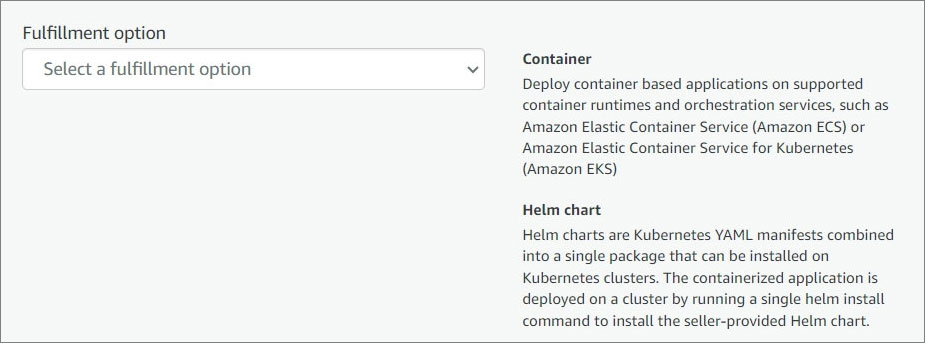
Choose a fulfillment option and the software version you wish to launch your stack.

<p><img src="../../images/quickstart/kubernetes/cms-eks-configure.jpg" alt="CMS EKS Configure" style="width: 60%;"></p>

1. Select a fulfillment option. Fulfillment options relate to how software products are delivered and deployed. This software is packaged as a virtual appliance and deployed on Amazon EC2 instances.
2. Click on the **"Continue to Launch"** button to proceed.

### Launch this software

Review the launch configuration details and follow the instructions to launch this software.

1. **Choose Action**
2. Click **"Launch"**.

## Next Steps

### Login to Solodev

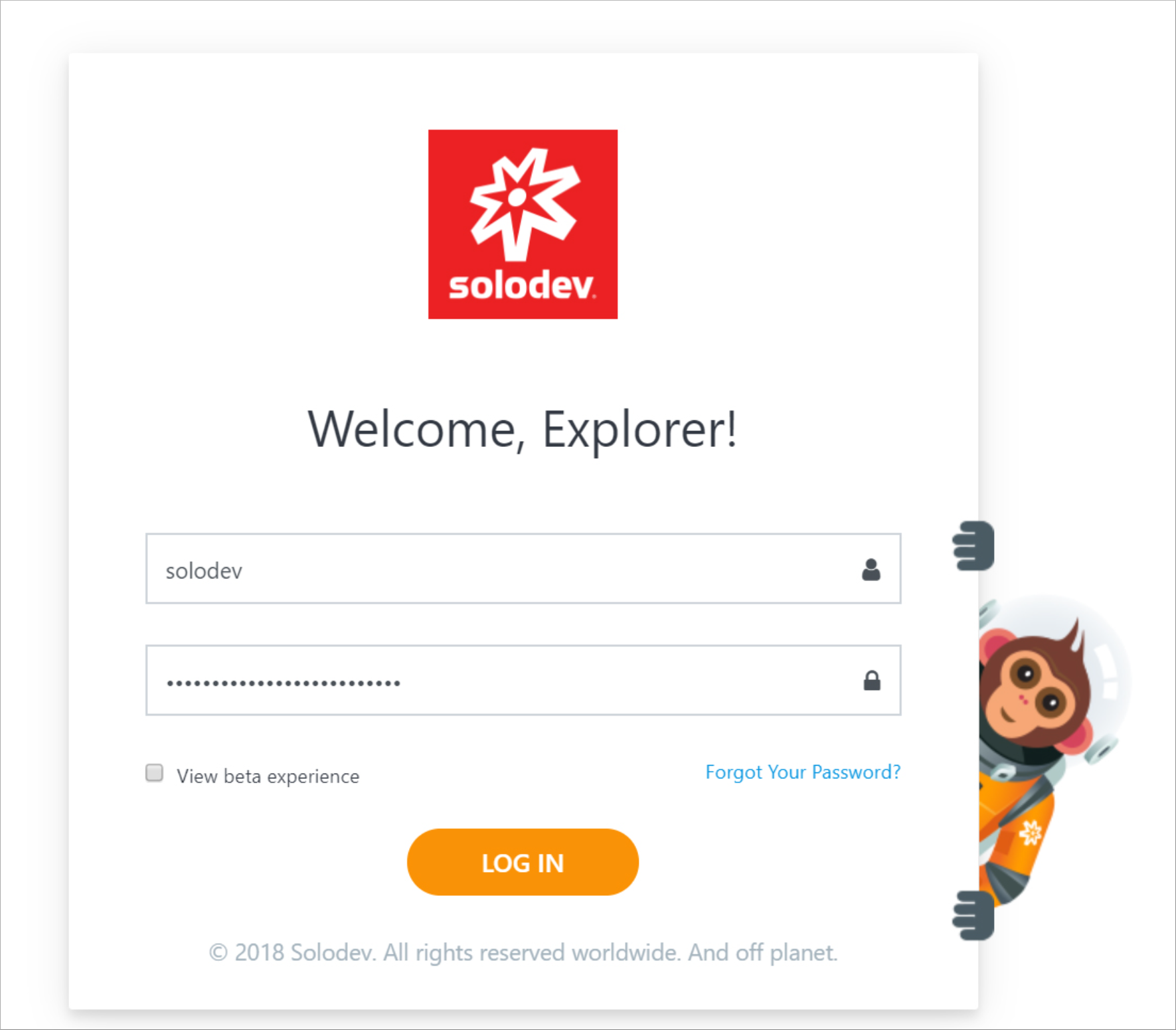
Visit the IP address or the backend domain you previously configured. Log in to Solodev using the username and the password you configured on your stack.

<p><img src="../../images/quickstart/login-screen.png" alt="Solodev CMS Login Screen" style="width: 60%;"></p>

### Add your First Website

Please [follow this link](/websites/add-website/) to learn more about Solodev and to learn how to build your first website.