A file group is a collection of related files organized together within a system or application. This grouping helps manage and categorize files that are used together or share a common purpose.
## Add File to File Group
1. Select **"Add to File Group"** from the menu. This will open a modal on the right side of the interface.
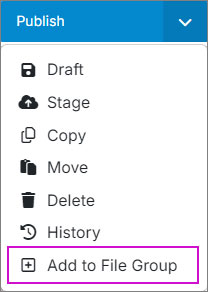
2. Select a file group from the tree.
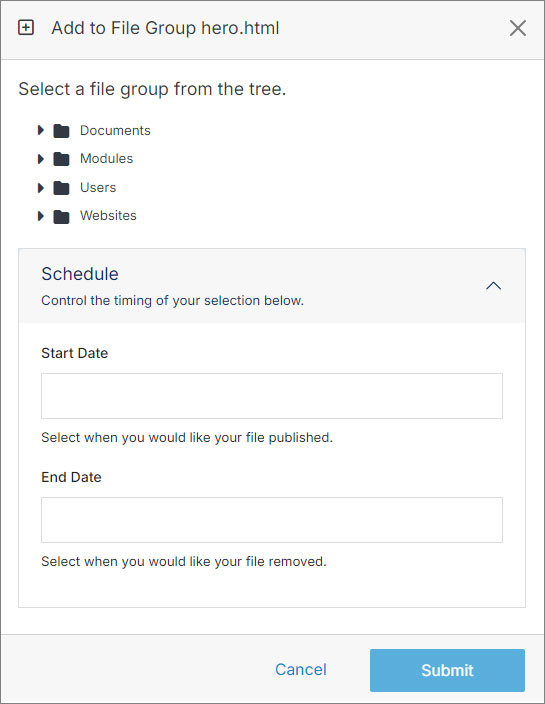
3. Select a **Start Date** to indicate when your file should be published.
4. Select an **End Date** to indicate when your file should be removed.
5. Click **Submit**.