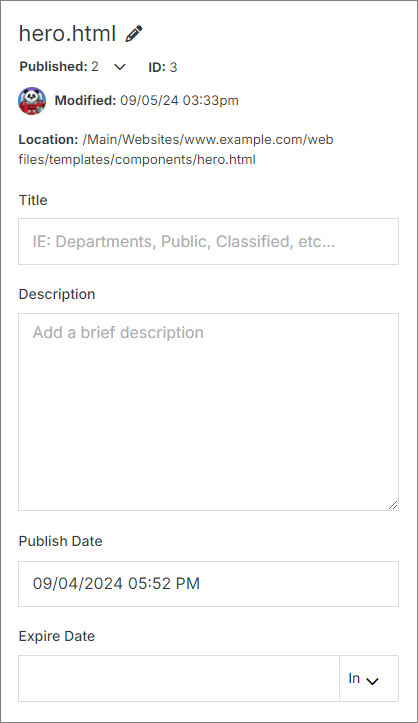
Update your file's name, add a title and description for better organization, and manage its publication and expiration dates, along with other settings.
## File Information
**Name** | **Description**
:--- | ---
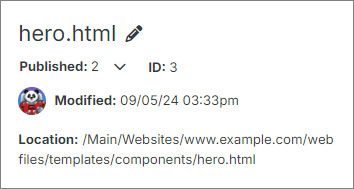
File Name | To update the file name, click on the pencil icon. After updating the name make sure to click **Publish** on the right-hand side.
File Status | Switch between the Publish, Stage, and Draft views by clicking the dropdown menu below the file name.
ID | Identification number of the file.
User | The avatar of the user who last modified the file, along with the date and time.
Location | Location of the file in the filesystem.
## File Inputs
**Name** | **Description**
:--- | ---
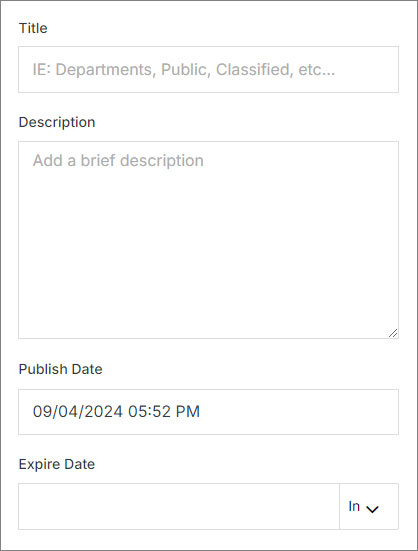
Title | Add or update the file title
Description | Add or update the file description
Publish Date | Schedule when your file is displayed
Expire Date | Schedule when your file is removed