# Add Category
Category pages allow to optimize SEO and enhance overall user experience. In Solodev CMS, developers can attach category pages to modules by attaching them to category collections and attaching their collection of categories to the module itself. Before creating a category, create a collection. From an open folder, click **+ Add** and select **Add Category**.
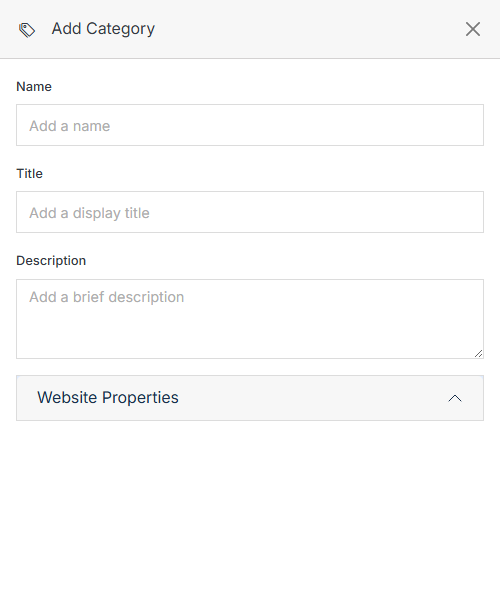
**Name** | **Description**
:--- | ---
Name | Add the category name. The name of the category should be lowercase and separated with dashes.
Title | Add the category title. This will be the Title displayed on your site.
Description | Add the category description. This description can be utilized on your website's frontend or
for organizational purposes.
[Website Properties](/websites/folder-overview/add-category/#website-properties) | Map your categories to a page.
Confirm | After filling out all the required fields, please click the **Submit** button to save your changes.
## Website Properties
Manage where your categories display.
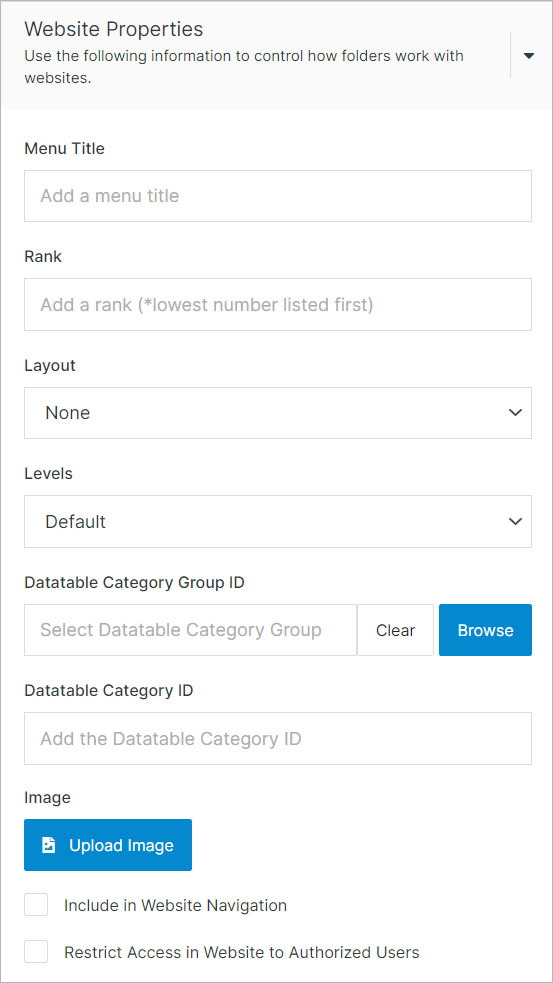
**Name** | **Description**
:--- | ---
Page Template | Add page template by clicking the browse button. The page template will serve as an index for Datatable Categories.