# Experiment
Insert an [A/B experiment](/engage/experiment/experiment-overview/) — alternates between two or more HTML/TPL files for visitors and tracks which one performs best. Each visit randomly shows one variant, weighted by the **Frequency** percentage you set on it, and every view (and, once you mark a visit as converted, every conversion) is counted per variant so you can compare real conversion rates.
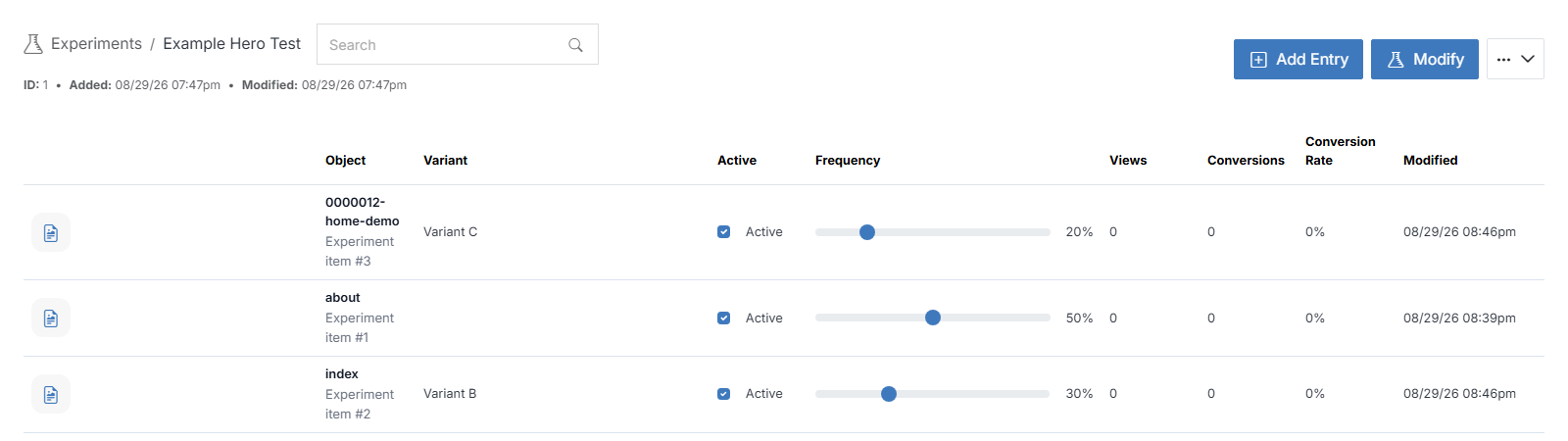
!!! Note:
Content being tested can't be a page itself; it has to be a file with an .html extension in your web files (not an .stml page).
!!!

**Step 1**: While editing a page, find the vertical icon rail on the left edge of the page canvas. Experiment is the last icon, at the bottom.
**Step 2**: Drag it onto an empty region of the canvas. This opens **Select Experiment**. Search for an existing experiment and select it to preview its details before choosing it.
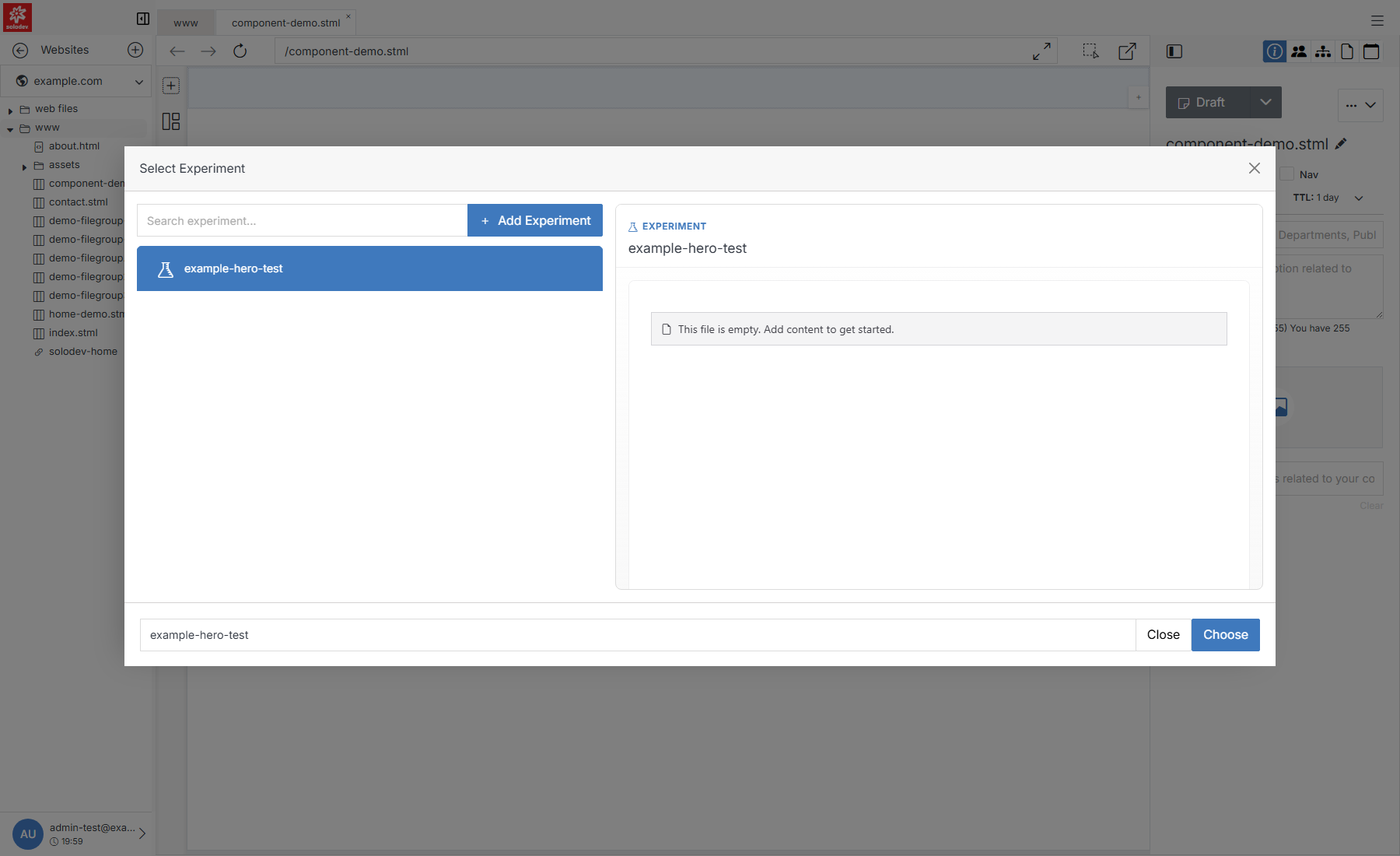
**Name** | **Description**
:--- | ---
Search experiment | Filter the list by name.
[Add Experiment](#quick-add) | Create a new experiment on the spot if the one you need doesn't exist yet.
Results list | [Experiments](/engage/experiment/experiment-overview/) that already exist for this website.
Preview pane | Selecting an experiment previews its details before you commit.
Choose | Insert the selected experiment at the drop location.
## Quick Add
If nothing in the list fits, click **+ Add Experiment** to create one without leaving the page. It also lets you add variants immediately, so the experiment is usable as soon as you insert it.
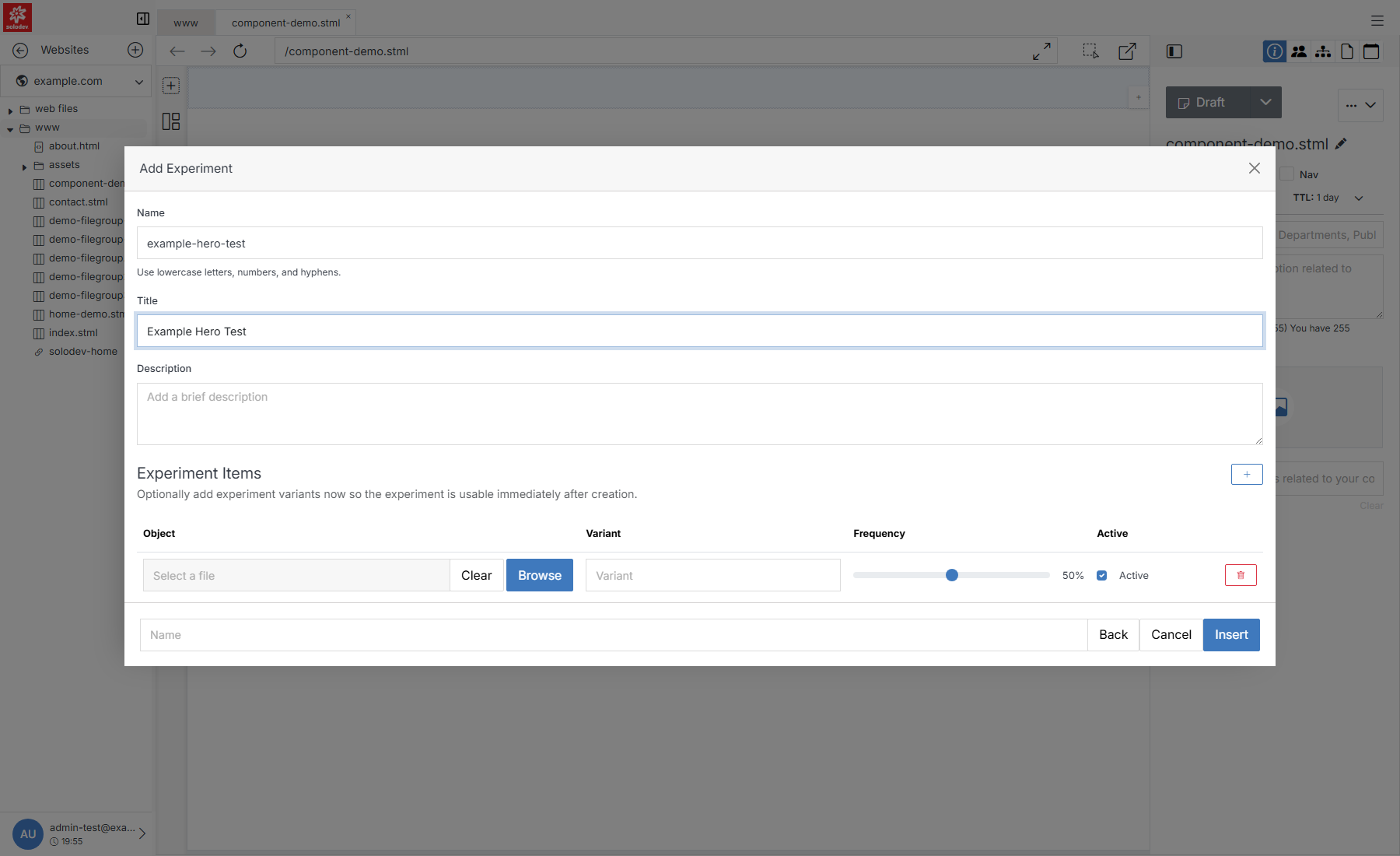
**Name** | **Description**
:--- | ---
Name | The experiment's internal name. Lowercase, letters/numbers/hyphens only.
Title | The experiment's display title.
Description | An optional description.
Experiment Items | Optionally add variants right away: an Object (file), a Variant name, a Frequency (traffic split percentage), and whether it's Active.
Insert | Creates the experiment and returns you to **Select Experiment** with it selected.