# Module
Insert a low-code module — a Blog, Calendar, Datatable, or other module already built for this website.

**Step 1**: While editing a page, find the vertical icon rail on the left edge of the page canvas. Module is the fourth icon from the top.
**Step 2**: Drag it onto an empty region of the canvas. This opens **Select Module**.
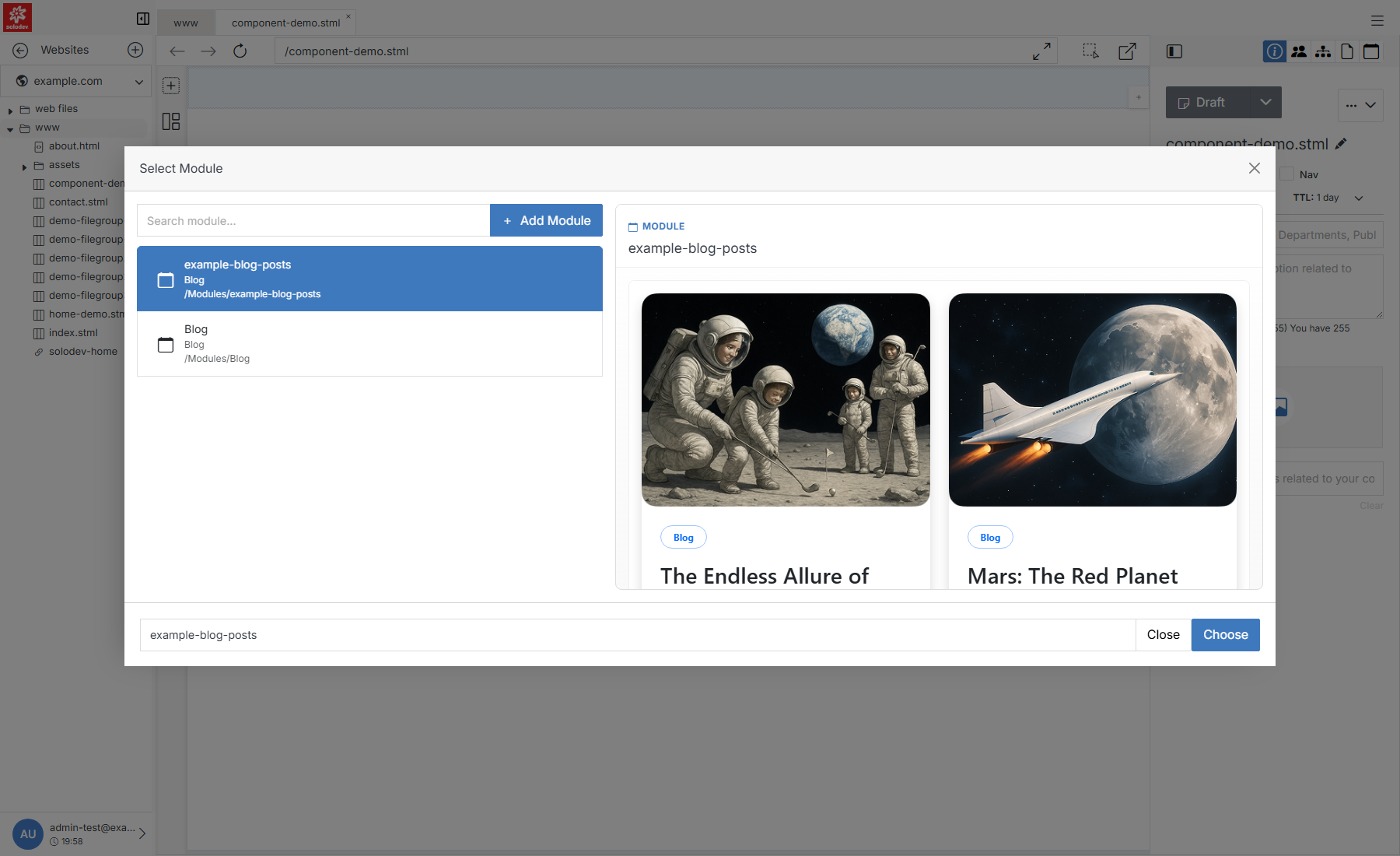
**Name** | **Description**
:--- | ---
Search module | Filter the list by name.
[Add Module](#quick-add) | Create a new module on the spot if the one you need doesn't exist yet.
Results list | [Modules](/modules/) that already exist for this website, with their name and location.
Preview pane | Selecting a module previews its details before you commit.
Choose | Insert the selected module at the drop location.
## Quick Add
If nothing in the list fits, click **+ Add Module** to create one without leaving the page. This is a lighter version of the full [Add Module](/modules/add-module/) form.
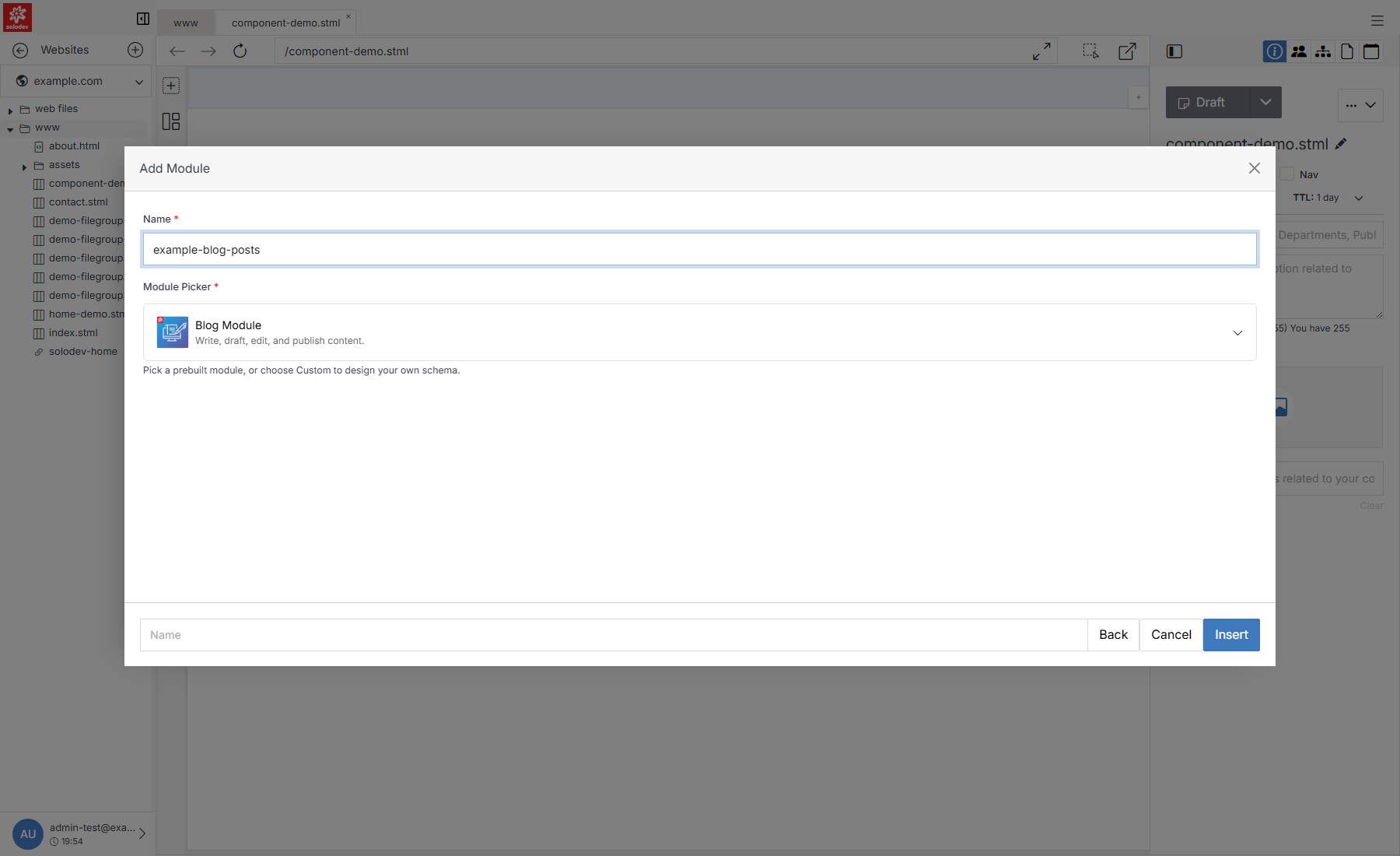
**Name** | **Description**
:--- | ---
Name | The module's internal name. Lowercase, letters/numbers/hyphens only.
Module Picker | Pick a prebuilt module type (Blog, Calendar, Alert, News, Quick Links, Slider) to start from its ready-made schema, or choose Custom Module to design your own fields from scratch.
Insert | Creates the module and returns you to **Select Module** with it selected.
!!! Note:
Choosing Custom Module replaces the picker with a full schema builder — a Module Template upload, AI-assisted Quick Schema Ideas, and a field-by-field Schema Builder. That's the same tool used by the standalone [Add Module](/modules/add-module/) page; see it for the full walkthrough.
!!!