# Scheduler
Insert a [scheduler](/engage/scheduler/scheduler-overview/) — swaps one HTML/TPL file in for another automatically at a set date and time, with no one needing to manually publish the change. Each entry is a file plus a start date; whichever entry's start date is the most recent one that's already passed is what renders. Add a second entry with a later start date and the scheduler automatically switches to it the moment that date arrives — there's no separate "frequency" setting, the file's own start date is the whole schedule.

**Step 1**: While editing a page, find the vertical icon rail on the left edge of the page canvas. Scheduler is the seventh icon from the top.
**Step 2**: Drag it onto an empty region of the canvas. This opens **Select Scheduler**. Search for an existing scheduler and select it to preview its details before choosing it.
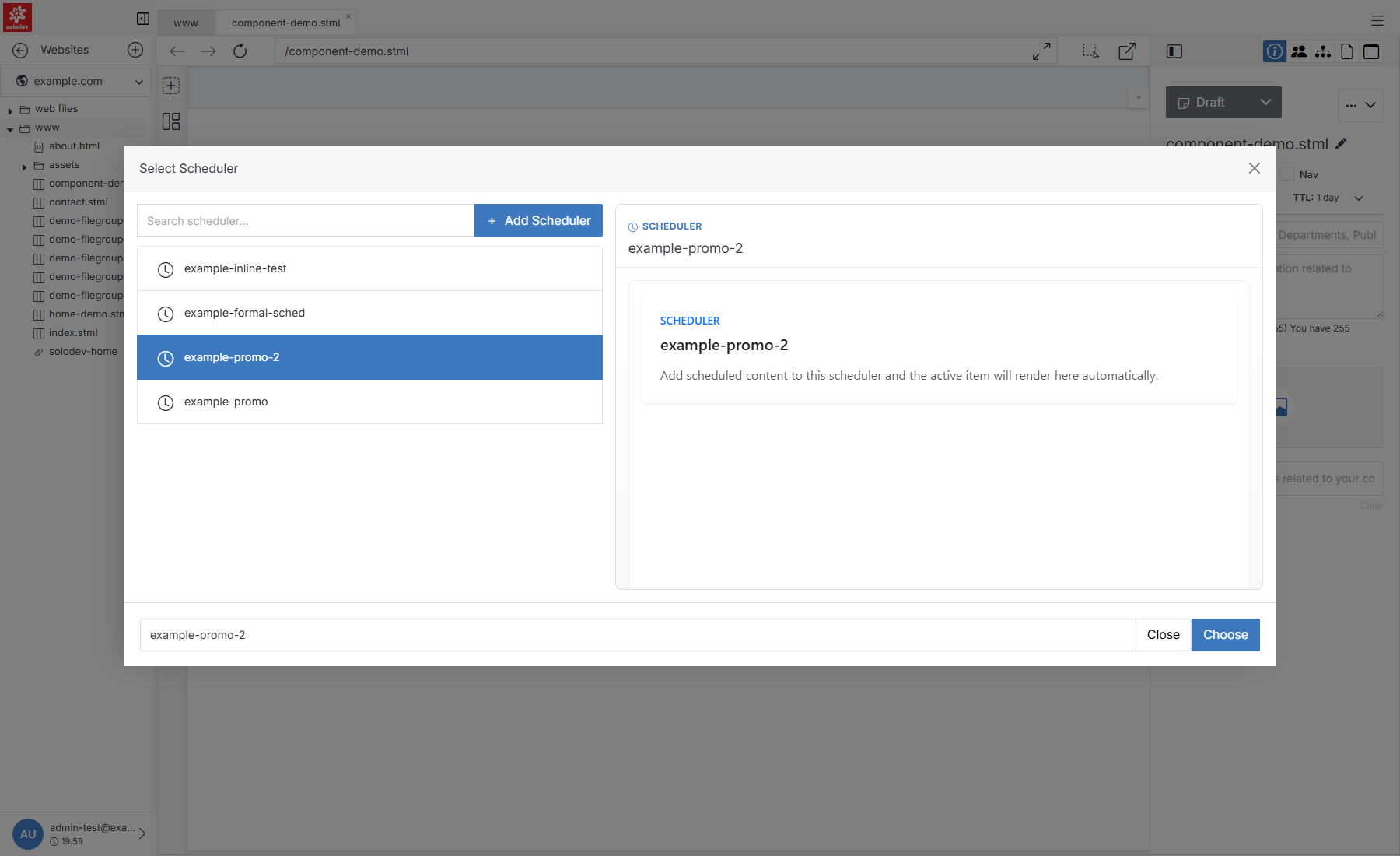
**Name** | **Description**
:--- | ---
Search scheduler | Filter the list by name.
[Add Scheduler](#quick-add) | Create a new scheduler on the spot if the one you need doesn't exist yet.
Results list | [Schedulers](/engage/scheduler/scheduler-overview/) that already exist for this website.
Preview pane | Selecting a scheduler previews its details before you commit.
Choose | Insert the selected scheduler at the drop location.
## Quick Add
If nothing in the list fits, click **+ Add Scheduler** to create one without leaving the page. This is a lighter version of the full [Add Scheduler](/engage/scheduler/add-scheduler/) form — it also lets you schedule an entry immediately, so it's ready to use as soon as you insert it.
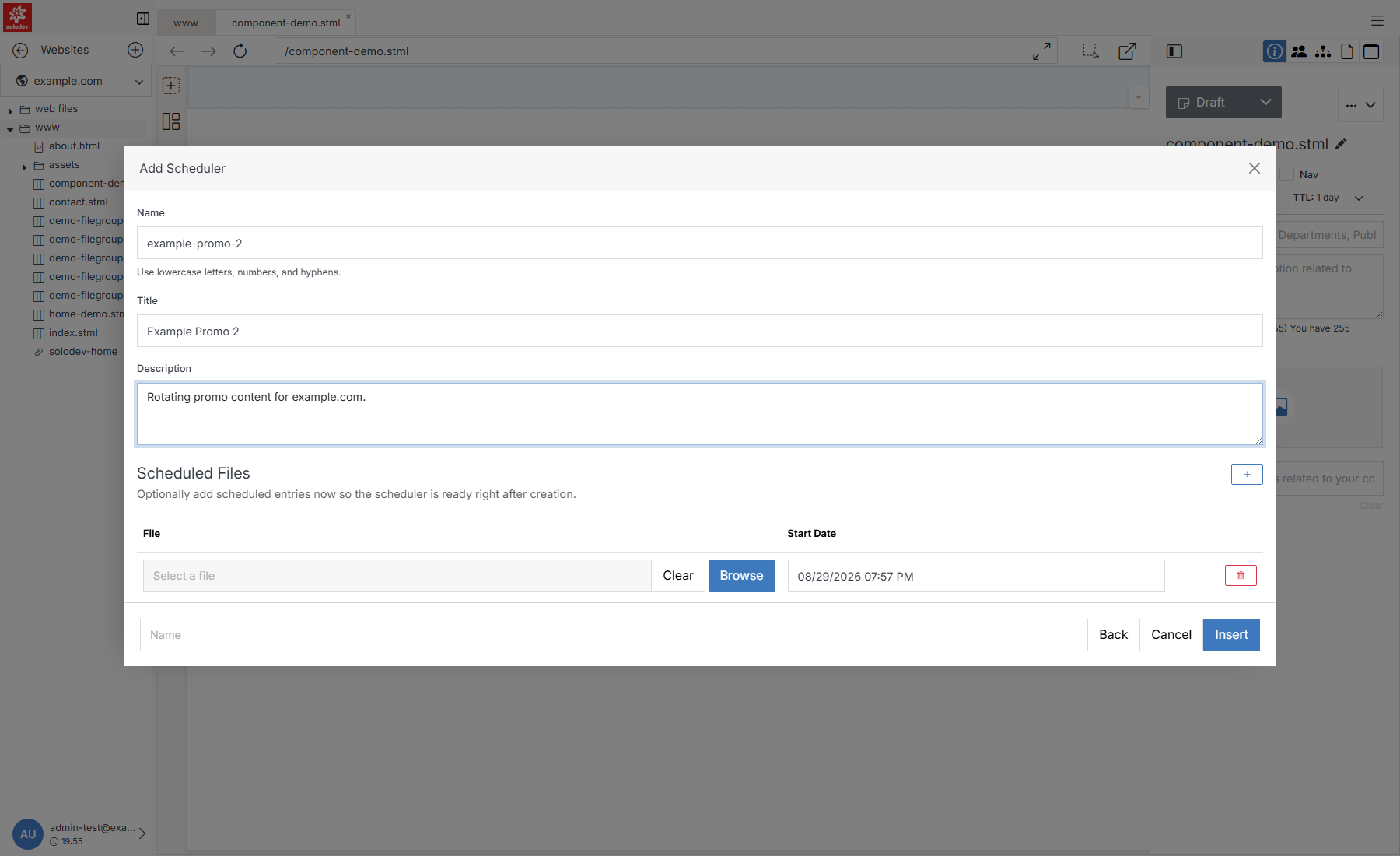
**Name** | **Description**
:--- | ---
Name | The scheduler's internal name. Lowercase, letters/numbers/hyphens only.
Title | The scheduler's display title.
Description | An optional description.
Scheduled Files | Optionally add a scheduled entry (file + start date) right away instead of adding it later.
Insert | Creates the scheduler and returns you to **Select Scheduler** with it selected.