# Add Form

From the [Forms](/forms/) list, click **Add Form**. The fields shown depend on which **Type** you pick -- Contact Form happens to be what the dropdown shows first, but that's not a recommendation either way; see the note on [Forms](/forms/) for guidance on picking one.

<div style="display:flex; gap:1rem; flex-wrap:wrap; margin: 1rem 0 1.5rem;">
  <div style="flex:1 1 260px; border:1px solid #d0d7de; border-radius:8px; padding:1.25rem;">
    <h3 style="margin-top:0;"><a href="#contact-form">Contact Form</a></h3>
    <p style="margin-bottom:0;">Submissions save as a <a href="/organization/contacts/">Contact</a> using the CMS's fixed, built-in schema.</p>
  </div>
  <div style="flex:1 1 260px; border:1px solid #d0d7de; border-radius:8px; padding:1.25rem;">
    <h3 style="margin-top:0;"><a href="#module-form">Module Form</a></h3>
    <p style="margin-bottom:0;">Submissions save to a custom module with a schema you design yourself.</p>
  </div>
</div>

## Contact Form

Submissions are saved as [Contacts](/organization/contacts/) using the CMS's fixed, built-in contact schema -- no new database table is created.
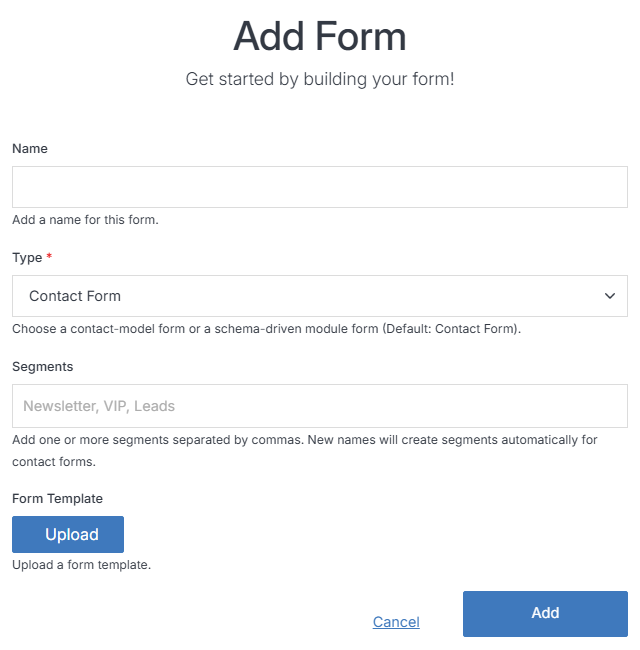
<p><img src="../../images/forms/add-form-contact.png" alt="Add Form with Type set to Contact Form"></p>

**Name** | **Description**
:--- | ---
Name | The form's internal name. Lowercase, letters/numbers/hyphens only.
Type | **Contact Form**.
Segments | Optionally list one or more [Segments](/engage/segment/add-segment/) (comma-separated) to automatically group everyone who submits this form. Typing a new name creates that segment.
Form Template | Optionally upload a form template instead of building one from scratch.
Add | Click **Add** to create the form.

## Module Form

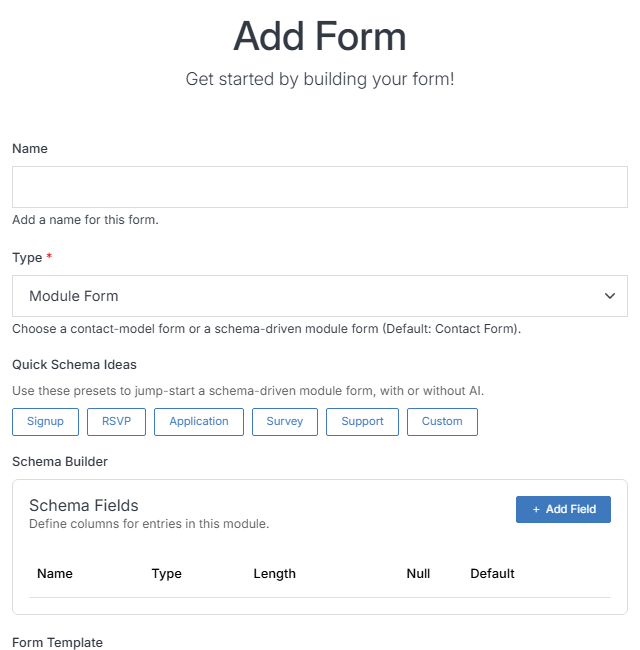
Submissions are saved to a custom module with a schema you design yourself -- the same schema builder used by [Add Module](/modules/add-module/). Every Module Form creates its own database table, so reserve this for structured, non-personal data (an RSVP count, a survey response) rather than anything that includes someone's name, email, or other personal details -- see the note on [Forms](/forms/) for why.

<p><img src="../../images/forms/add-form-module.png" alt="Add Form with Type set to Module Form"></p>

**Name** | **Description**
:--- | ---
Name | The form's internal name.
Type | **Module Form**.
Quick Schema Ideas | One-click starting schemas -- Signup, RSVP, Application, Survey, Support, Custom -- to jump-start the form's fields, with or without AI.
Schema Builder | Define the columns (fields) for submissions. Click **+ Add Field** to add a column, and set its Name, Type, Length, Null, and Default.
Form Template | Optionally upload a form template instead of building one from scratch.
Add | Click **Add** to create the form.
