
Update Collection
Click a Collection in the list to open it. This is also where you manage the categories inside it.
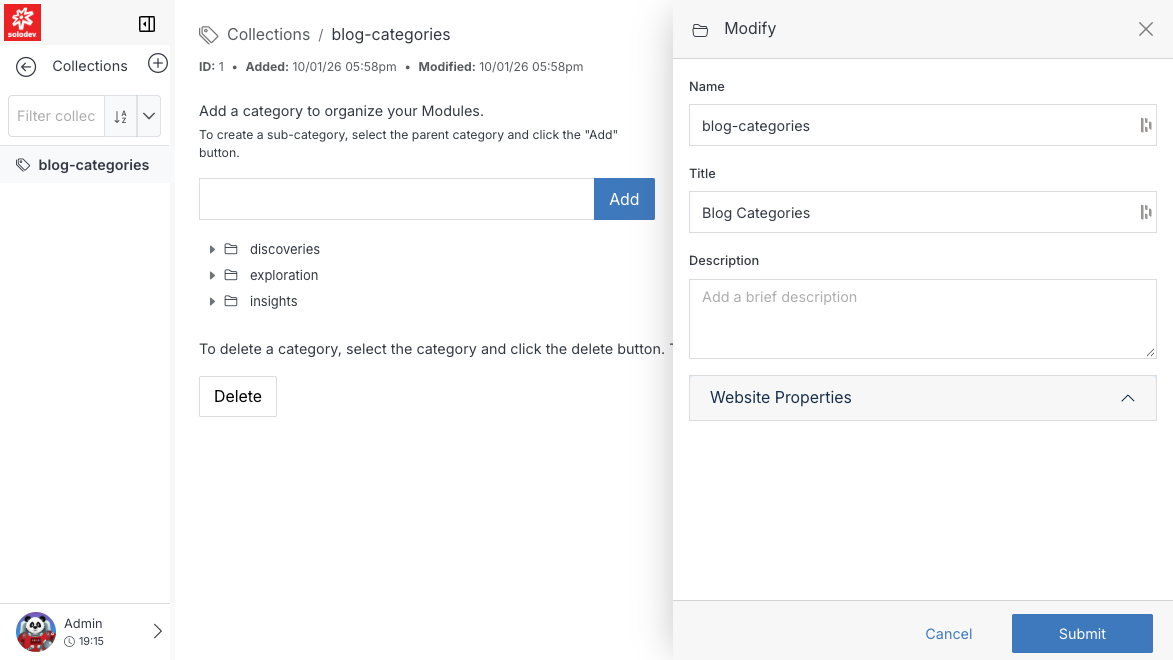
Change the Collection's settings
Click Modify to edit the same fields available on Add Collection — Name, Title, Description, Page Template, and whether category detail URLs are generated.
Note
Changing the Page Template changes every category page the Collection generates, the same way a Datatable's display template controls every entry's detail page.
Manage categories
Type a name and click Add to create a new category. To create a sub-category instead, select an existing category first, then click Add. Categories can be nested arbitrarily deep.
To remove a category, select it and click Delete — this also removes any sub-categories beneath it.