
Connect Provider
To add a connection, go to Admin > Settings > Providers and click Connect Provider on a provider under Available Providers. Next, complete the provider-specific fields. These vary by provider, from an API key to a full OAuth connection. For OAuth, click Connect to authorize.
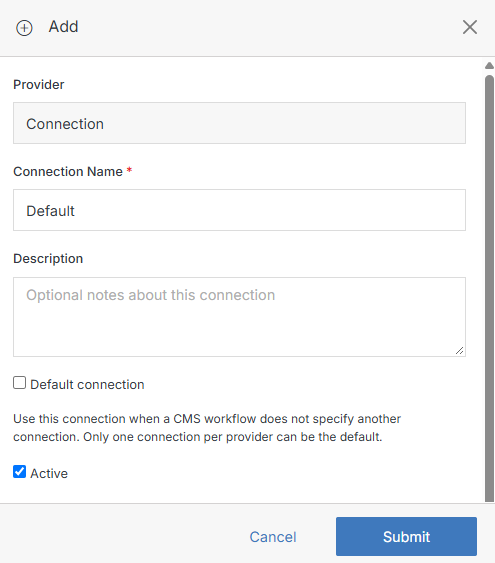
Once saved, the connection appears under Connected Providers and is available to any part of the CMS that uses it.
Select Connection
After you add a provider connection, you still need to link it to each website that should use it. Open the website's Update Website screen and expand the Providers section.
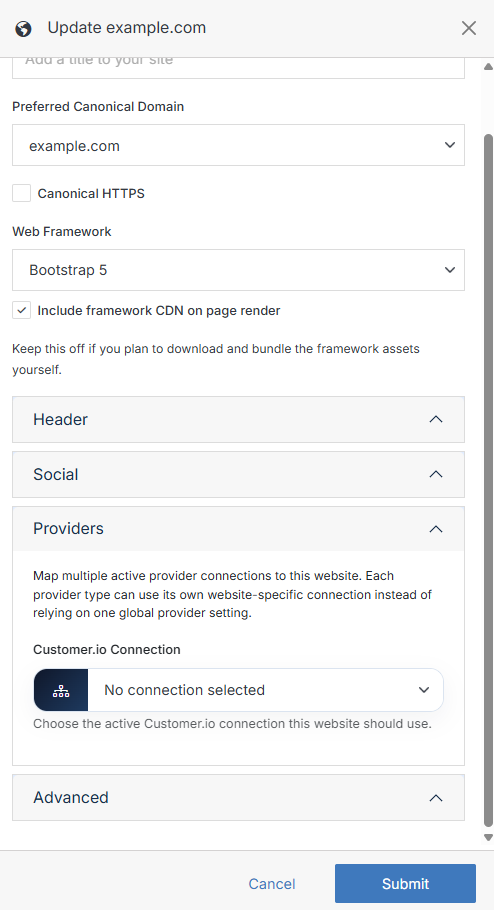
Find the dropdown for that provider type (for example, Salesforce, Google Tag Manager, or reCAPTCHA) and pick the connection you created; connections marked as the default are labeled (Default). Then save the website. You can do this for several provider types, so each site can have its own connections.
If the dropdown has no options, the connection isn't active and enabled yet, so go back to Admin > Providers and update that first.
Note:
This only applies to website-level providers. System-level ones like SMTP or Figma do not appear on Update Website.