Modify

Edit an Experiment's name and settings, and manage its variants.
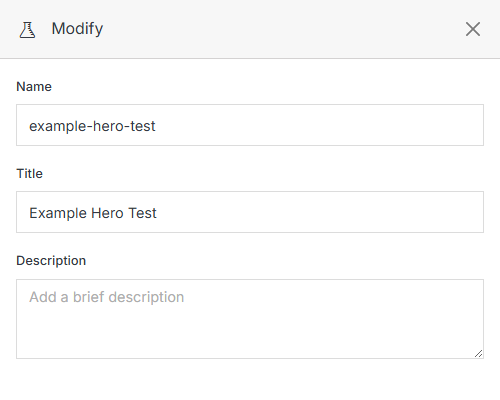
Modify form

Name Description
Name The internal name of the Experiment.
Title The display title shown wherever the Experiment is listed.
Description A short description of what's being tested.
Google Experiment ID Send conversion data to Google Optimize, which is integrated with Google Analytics, for granular tracking.

Variants

Each row is one variant — a file being tested, its traffic share, and its results so far.
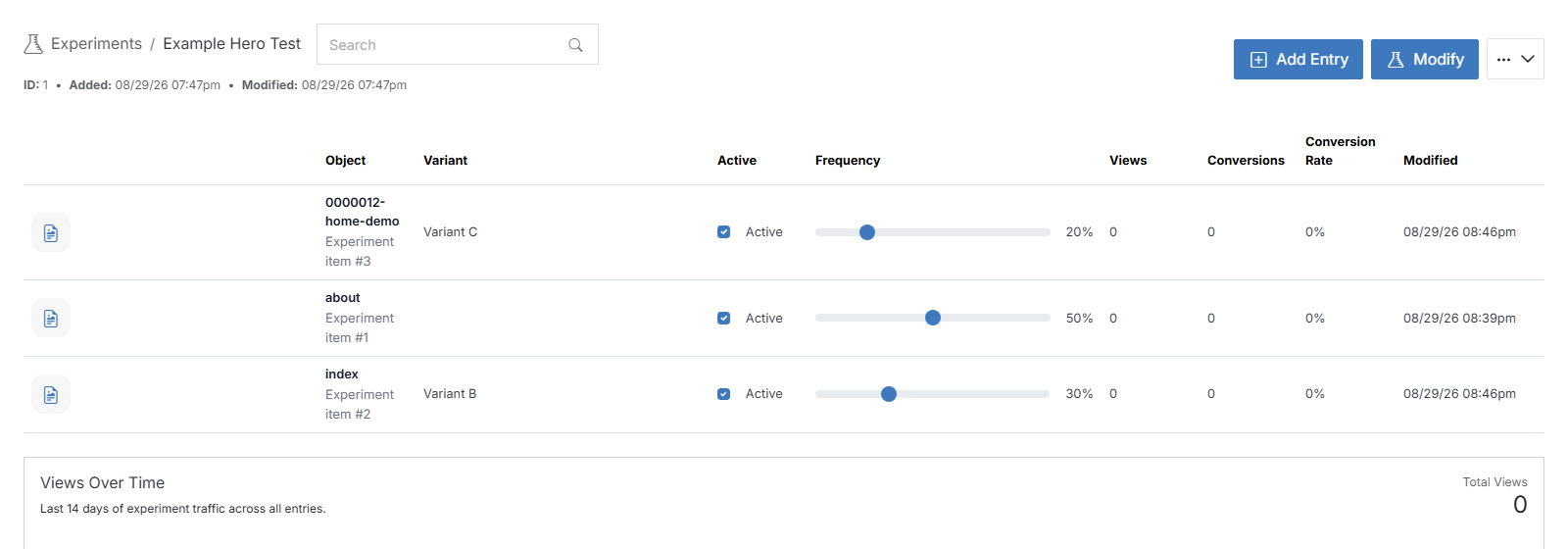
Name Description
Variant An alternative version of the file being tested against the original.
Object The file to include in the Experiment.
View Open the file in a new tab.
Active Check to activate or deactivate this variant.
Frequency Adjust the slider to set how often this file should appear, relative to the other variants.
Views The number of times the file has been viewed.
Conversions The number of times a view resulted in a conversion.
Conversion Rate The percentage of views that resulted in a conversion.

Use the + button to add another variant, or the button to remove one.
