
Modules
With Modules, Solodev CMS goes beyond simple page display to give you dynamic, interactive content that keeps visitors engaged. Add a blog to share updates, a calendar to manage events, an image slider to showcase your best work, and more. Modules turn your CMS from a place to publish pages into a platform for building real, functional experiences.
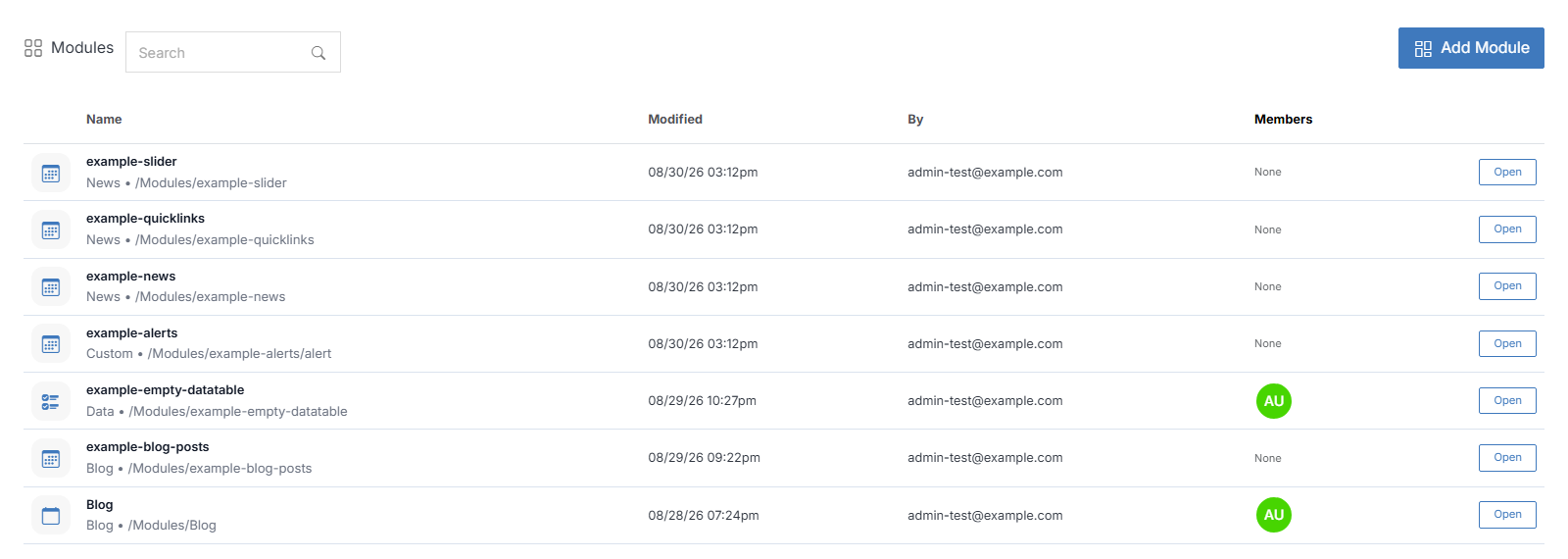
The modules dashboard gives you an overview of existing modules presented as a list. Each module has details such as name, location, and members assigned to each one.
You can access all tools from the module dashboard to manage module infrastructure effectively.
To get started click on the Add Module button. If you have a module already installed, you can click on the module name to see its options and modify it.
Tip:
Use the search field in the upper right corner to locate a specific module and filter your modules by site.
Members Permissions
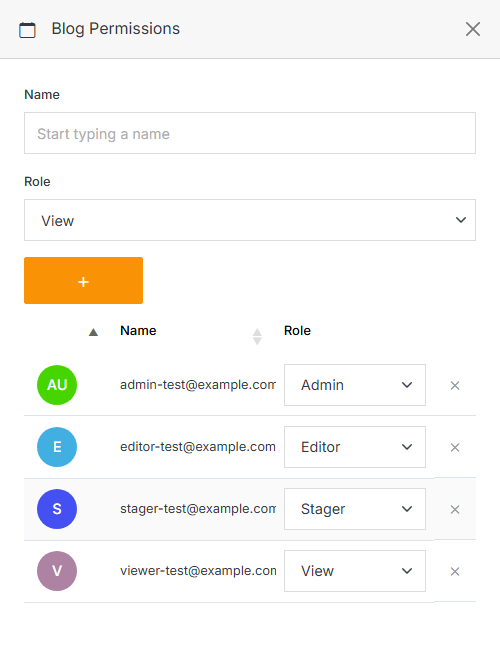
Click on the Members column in the module row to add or remove users and manage their roles.
Note:
A group or group member can be assigned one of four roles in Solodev CMS:
- View: Allows a member to see items and content.
- Stager: Enables a member to create or modify content but not publish.
- Editor: Gives a member the ability to view, create, edit, and publish.
- Admin: Provides full editorial control and management of group members.