v 11.8
  • Solodev Home
Powered by
  1. Welcome
  2. Documents
  3. Document Overview
  4. Move

Move

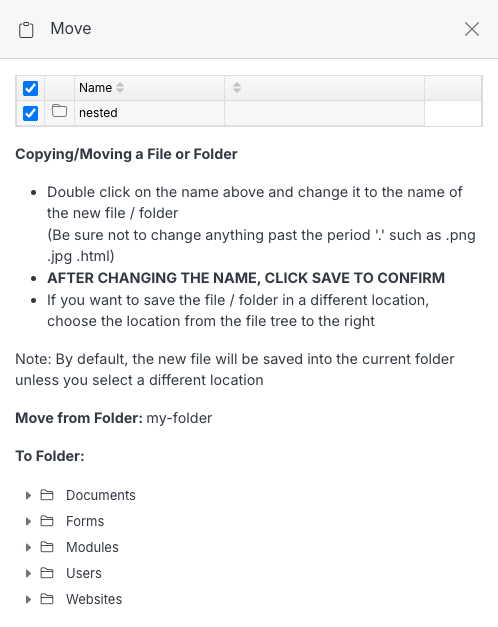
Move one or more files/folders to another location. From a folder's page, select the item(s) with their row checkboxes, then click Move in the toolbar that appears.

Name Description
To Folder Browse the folder tree and choose the destination folder.
Submit Click Submit to move the selected item(s) there.

See also

Document Overview

A folder's own page, where you upload files, organize with more folders, and manage what's already there. Click a folder's name from Documents (or from inside another folder) to open it.

Editing a File

Click a file's name from a folder's page to open it in the editor -- a WYSIWYG toolbar on the left for HTML files (plain code files open directly in a text editor instead), and a details/actions panel on the right.

Source

Source is the combined tree for everything in your CMS deployment — Websites, Modules, Users, Documents, and Forms all in one place, instead of navigating into each section separately.

Previous Copy
Next Delete

© Copyright 2026. All rights reserved.