Add Website

From the Websites list, click Add Website to create a new website in your CMS deployment by completing a short form.
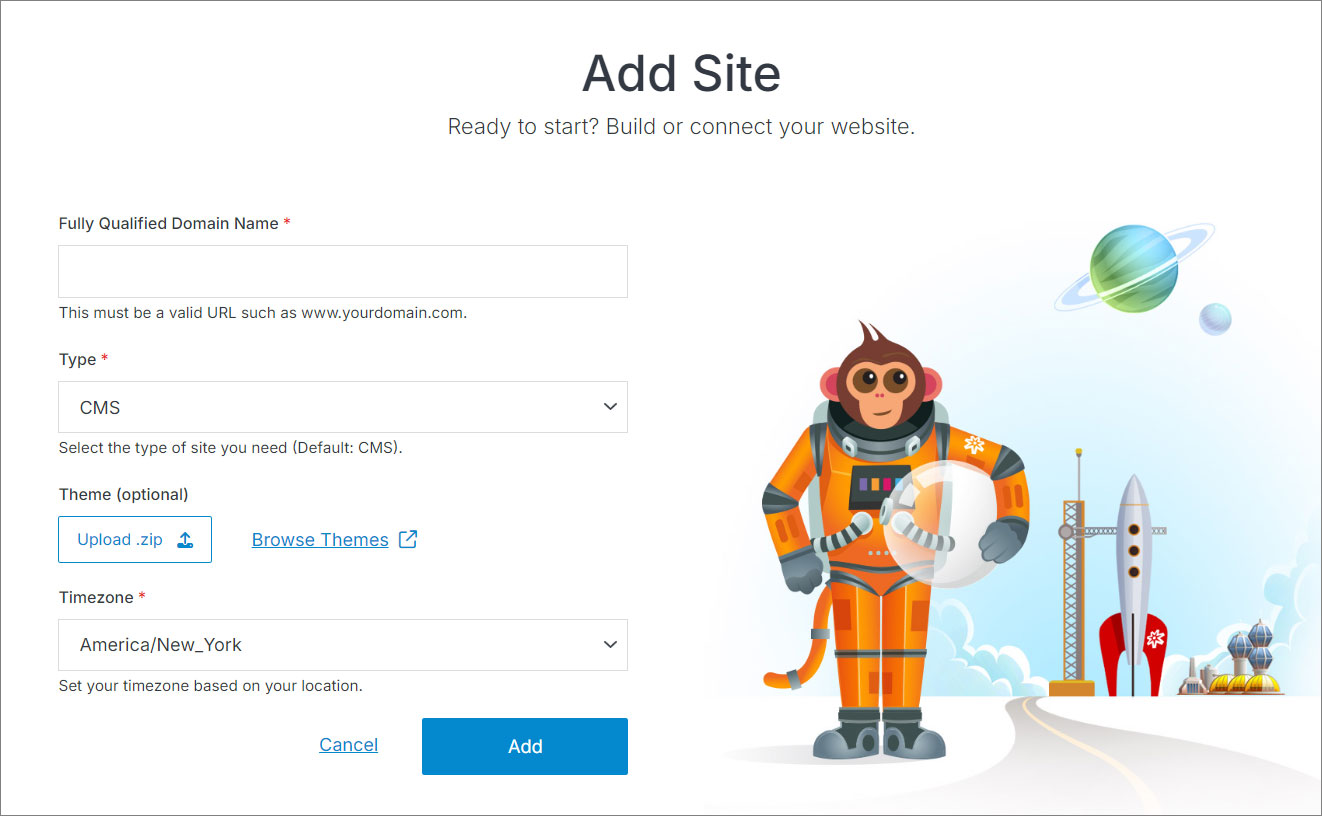
Add website form

Field Description
Fully Qualified Domain Name (FQDN) The complete website address, for example www.yourdomain.com. This identifies your website on the internet.
Website Timezone The timezone your website's dates and times are based on.
Web Framework Choose the CSS/JS framework new pages are built with, or Custom to manage your own. Includes an Include framework CDN on page render option -- leave this off if you plan to download and bundle the framework assets yourself.
Theme Picker What the new site starts out containing -- see below.

Theme Picker

Click the Theme Picker to see all five options.
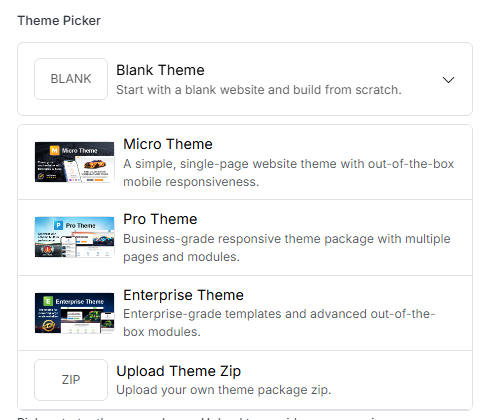
Theme Picker options: Blank, Micro, Pro, Enterprise, and Upload Theme Zip

Option Description
Blank Theme Start with a blank website and build from scratch -- no pages, files, or styling beyond an empty shell.
Micro Theme A simple, single-page website theme with out-of-the-box mobile responsiveness.
Pro Theme Business-grade responsive theme package with multiple pages and modules.
Enterprise Theme Enterprise-grade templates and advanced out-of-the-box modules.
Upload Theme Zip Bring your own theme package as a .zip -- see below.

The three named starter themes (Micro, Pro, Enterprise) are Solodev's own ready-made packages, downloaded automatically when selected. Click Browse Themes next to the upload button to see more options in Solodev's theme marketplace.

Upload Theme Zip

Choose this to install a theme package you already have on hand, rather than one of the three starter themes. This is also how you'd bring a theme from one place to another -- a theme you previously downloaded from the marketplace, received from a developer, or built out on another site and packaged up yourself all install the same way. Selecting it reveals an Upload .zip button in place of the starter-theme list.

Once you've filled in the form, click Add to create your website. You'll land on its Website Overview page, with a starter page already scaffolded.
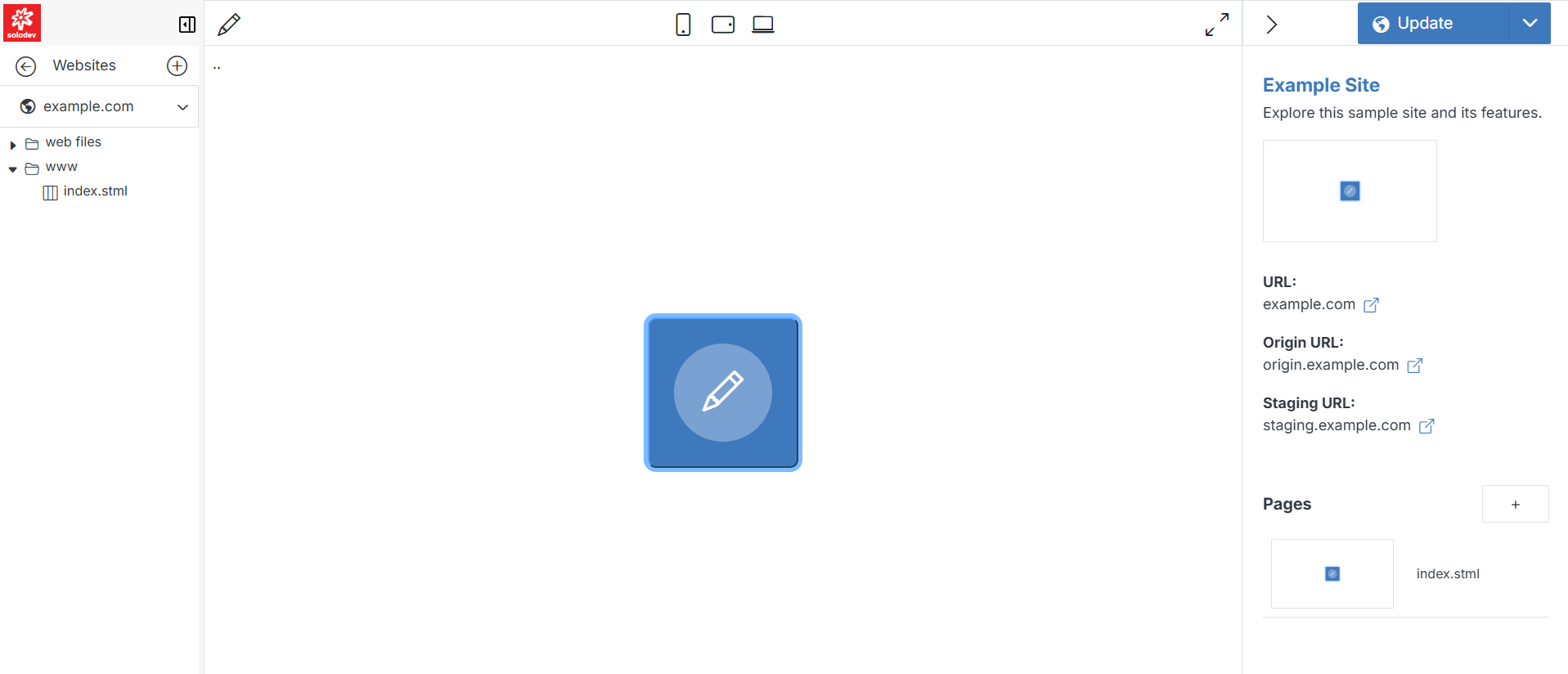
The newly created website's Website Overview dashboard