
Websites
The Websites list shows every website in your CMS deployment. On a brand new deployment, this starts out empty.
Note:
Solodev CMS is natively multi-site — one deployment and one login can manage any number of independent websites (and apps). Each site is self-contained, but resources like files and images can be shared across sites.

Tip:
Use the search field at the top to locate or filter specific websites once you have more than a few.
Once you've added a website, it appears in this list. Click its thumbnail image or name to open its Website Overview dashboard.
Permissions
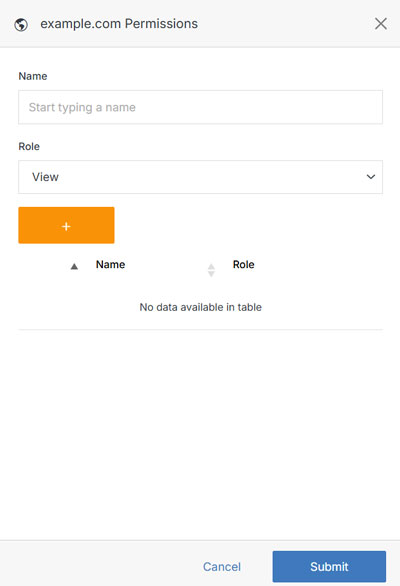
Click on the Members column next to a website name to add or remove users and manage their roles.
Note:
A website member can be assigned one of four roles:
- View: Allows a member to see items and content.
- Stager: Enables a member to create or modify content but not publish.
- Editor: Gives a member the ability to view, create, edit, and publish.
- Admin: Provides complete editor control and management of website members.