#
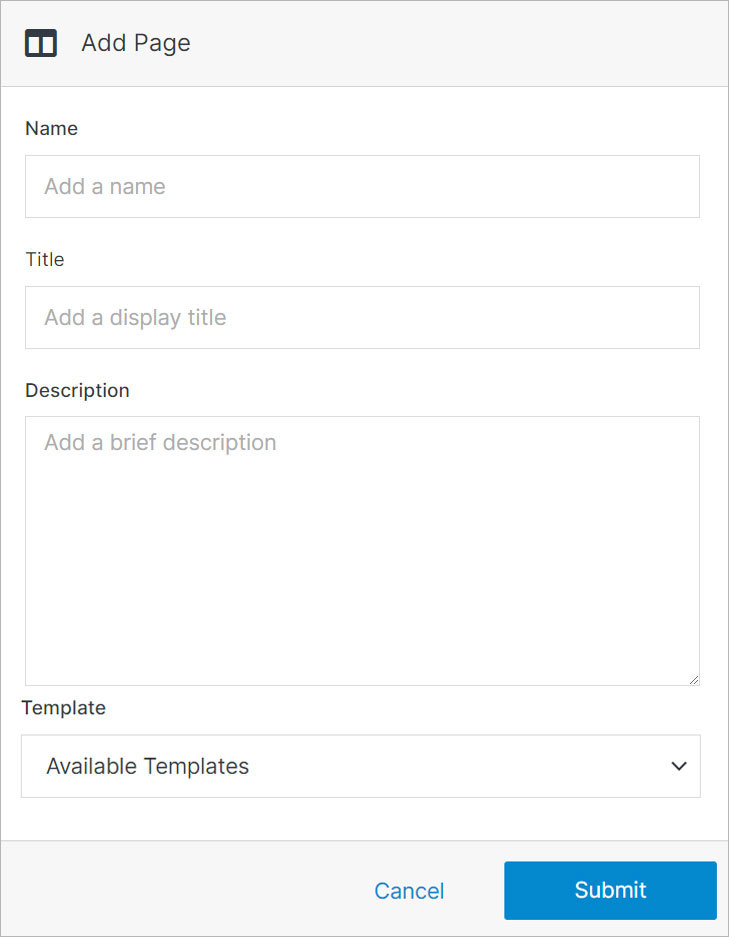
Add Page
A page is the basic building block of a website. It acts as a container for your content while providing a general structure based on your page template and styling.
See also
 Blog
Blog
The Solodev Blog Module makes it easy to create, organize, and publish posts on your website. Add featured images, videos, and categories to enrich
 Calendar
The Solodev Calendar Module makes it simple to schedule, organize, and showcase upcoming events on your website. Publish details with rich
 Contact
The Solodev Contact provides a simple way to collect inquiries, feedback, and requests. Customize fields, manage submissions, and ensure every message
Transform your basic calendar into a powerful, interactive scheduling tool with FullCalendar. Whether you are managing events, appointments, or
By clicking on the web files or www folders, you can update folder properties and access features such as uploading documents, adding links and file
Once you have set up a new website in your Solodev CMS, you can begin creating pages to build out your experience. In this tutorial, you will learn
A content template is usually placed within the base template. Sometimes referred to as an “interior template,” content templates power the bulk of
A sectional template is a high-level overview of a "section" of your website's content. Think of it as a jumping-off point to areas that fall under a
In Solodev, you have the option of installing a theme to any new website that you deploy or creating your own theme. In this article, you will learn
In Solodev, you have the option of installing a theme to any new website that you deploy. In this article, you will learn what a theme is, how to get
 News
News
Keep your users informed about your company happenings or press releases with the News Desk. Complete with categories, the News Desk can be used in
You can manage any website in your Solodev CMS to update details, adjust settings, apply redirects, and modify permissions for your team. You will