Update Folder

Change a folder's own name, title, and description, map it into a website's navigation, or delete it. From a folder's page, open the ... menu and click Update.
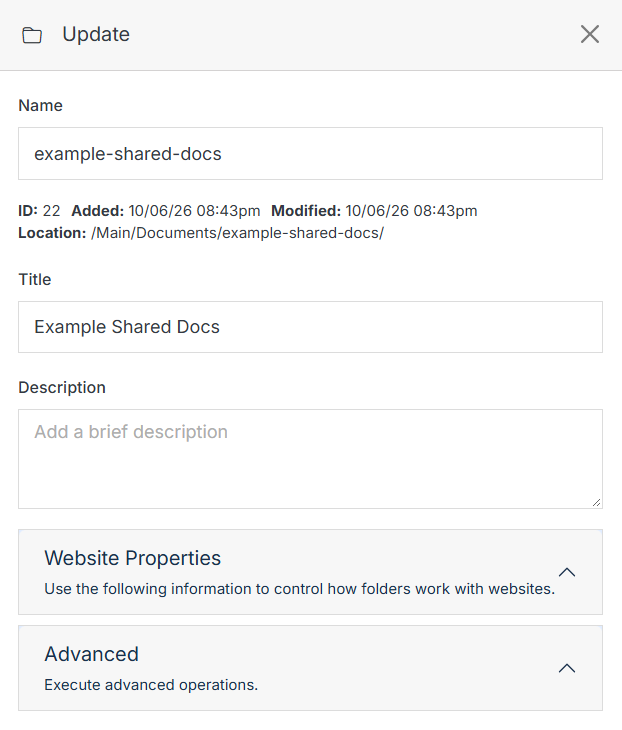
Update panel: Name, Title, Description

Name Description
Name The folder's internal name.
Title The folder's display title.
Description An optional description.

Website Properties

Optionally map this folder into a website's front-end navigation.
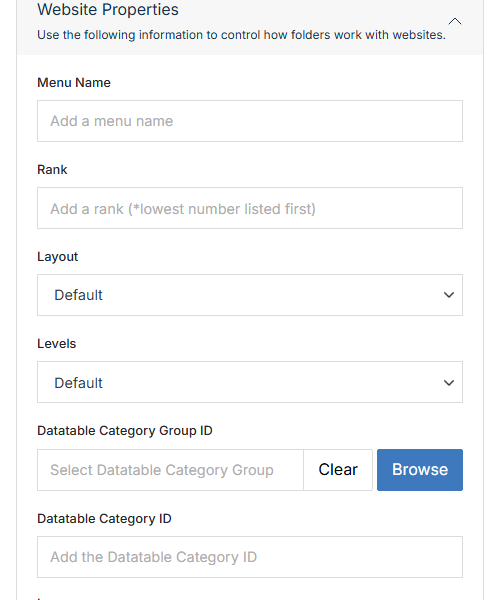
Website Properties section

Name Description
Menu Name The label shown for this folder in navigation menus.
Rank Where this folder sorts among its siblings in navigation. Lowest number listed first.
Layout Which predefined layout template controls how this folder's contents render in navigation.
Levels How many levels deep this folder's own contents show in navigation.
Datatable Category Group ID / Datatable Category ID Associate this folder with a specific category group/category.

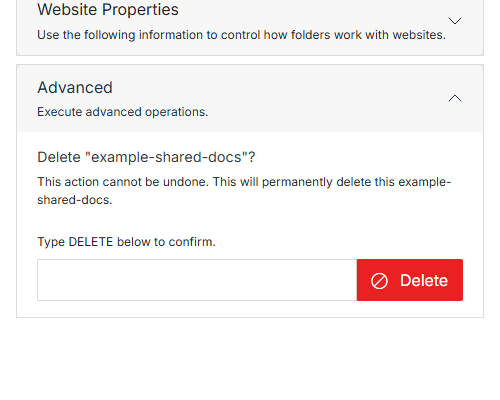
Advanced

Advanced section with the Delete confirmation

Name Description
Type DELETE to confirm Type DELETE (all caps) to enable the button.
Delete Permanently deletes this folder and everything in it. This can't be undone.