Meta Column

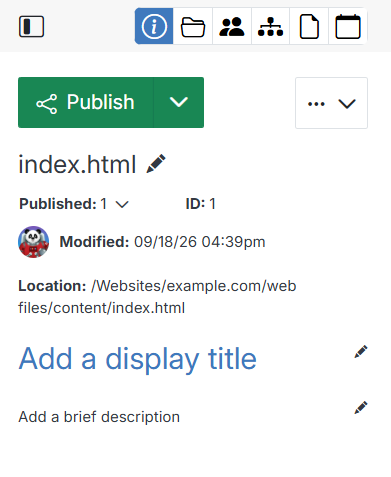
Update your file's name, add a title and description for better organization, and publish, stage, or save the file as a draft. Other file details are also displayed.

Meta Column

Name Description
Publish, Stage & Draft Push the file's code or content to live production, stage it for review, or save it as a draft.
File Name To update the file name, click on the pencil icon. After updating the name
make sure to click Publish on the right-hand side.
File Status Switch between the Publish, Stage, and Draft views by clicking the dropdown menu below the file name.
ID Identification number of the file.
User The avatar of the user who last modified the file, along with the date and time.
Location Location of the file in the filesystem.
Title Add or update the file title by clicking on the pencil icon.
Description Add or update the file description by clicking on the pencil icon.