
Update File

Change a file's name, description, and publish/expire scheduling without editing its content. From an open file, click the ... menu next to Publish, then click Update.
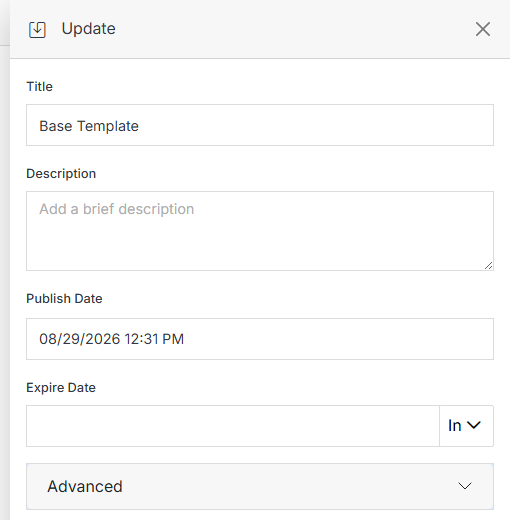
Update panel for a file

Name Description
Title Update the file's display title.
Description Add or update a brief description of the file.
Publish Date Schedule when the file should automatically publish.
Expire Date Choose when the file should expire: never, 1 day, 10 days, 30 days, 90 days, or 1 year.
Advanced Expand for additional scheduling and behavior options.
Submit Once you've made your changes, click Submit to apply them.

Advanced

Click Advanced to expand additional options for scheduling exactly when a file publishes or expires.