

I Want To
Point visitors to the pages they need most, organized around what they want to do.
The Solodev I Want To Module makes it easy to point visitors to the pages they need most. Organize important links around what visitors want to do, so they can find what they're looking for in one click.
-
Create and manage links with ease – Add, edit, and remove links quickly through an intuitive module. Keep your links current as your website grows and priorities change.
-
Fully customizable structure and categories – Group links by topic or audience. Control how links are displayed and make it easy for visitors to find the right page.
-
Improve the visitor experience – Reduce time spent searching and help visitors get where they need to go. Give your audience a clear path to your most important content.
Prerequisites
- Have a Solodev CMS.
- Have a Website.
Note:
We use Bootstrap 5 in our packages. You can update your code to match your own framework, styles, or preferences as needed.
Step-by-Step Setup Guide
These steps will guide you through the process of installing the I Want To Module and getting it live on your page.
- Navigate to Modules
- In your CMS dashboard, click Modules in the left navigation menu
- Click the Add Module button
- Give your I want to module a name
- Select the I Want To Module from the Module Picker
- Click Submit.
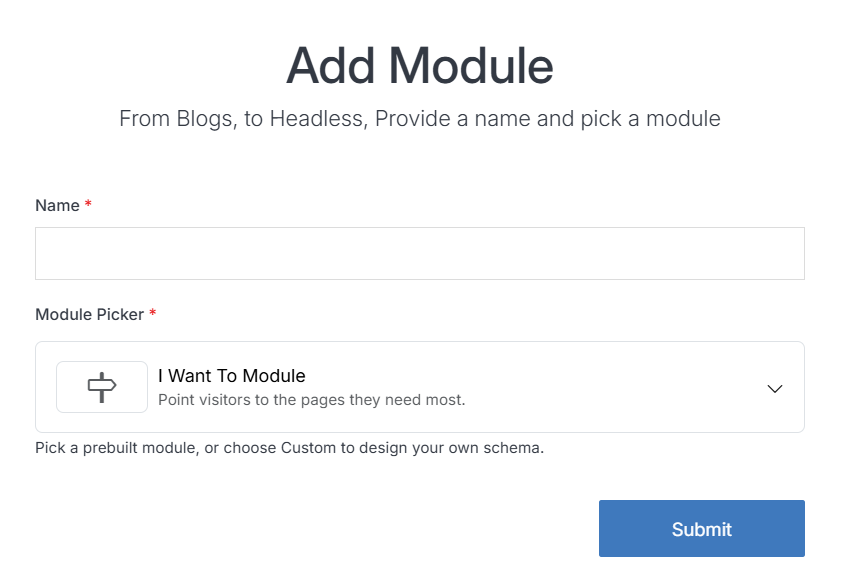
Note:
The module includes pre-built entries that you can personalize by editing the module content.
- Navigate to
Websites > example.com > web files > content
- Create a folder called
i-want-to - In the i-want-to folder, create a new code file named
i-want-to-repeater.tpl
- Add the I Want To code using the example template provided below.
<div class="container mt-4">
  <ul class="list-unstyled">
    [repeater id="" type="datatable"]
    <li>
      [cond type="is" subject="{{external_link}}" value="1"]
        <a href="{{link}}" target="_blank">
      [/cond]
      [cond type="is_not" subject="{{external_link}}" value="1"]
        <a href="{{link}}">
      [/cond]
        {{link_name}}
      </a>
    </li>
    [/repeater]
  </ul>
</div>
Important!
You need to add the ID number of your I Want To module to the repeater shortcode within the id="" attribute.
-
Click Publish.
-
Open your homepage
index.stmlor the desired page where you want to add the I Want To listing. -
Insert your I Want To file into the page.
-
Click Publish.
-
Go to your website and refresh the page to see your I Want To in action.
Support
Support for I Want To Module is handled directly through Solodev's global help desk. For more information regarding support queries, go to www.solodev.com.
Note:
To learn more about shortcodes and how they work, visit our shortcodes documentation.