
Workflow
Automatically notify or assign someone when something happens to this module's entries. From the module's overview page, open the ... menu and click WorkFlow.
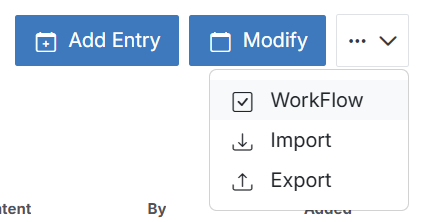
This is the same underlying automation engine as the org-wide Workflow settings — opening it from a module just pre-scopes the list to rules created for that module.
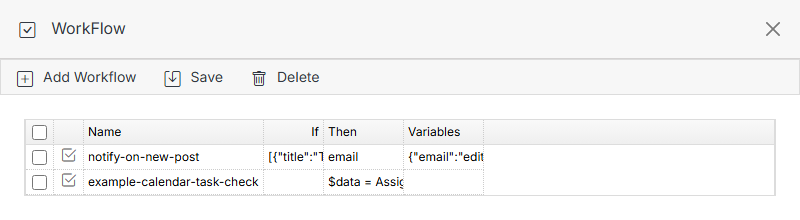
Add Workflow
Which Type options are available depends on whether the module is calendar-style or datatable-style — calendar entries don't have a "submitted by" concept the way form-backed datatable entries do, so calendar-style modules don't get those trigger types.
Calendar-style modules: Task + Form Submission
Example: notify a user when a task on a Blog entry is completed.
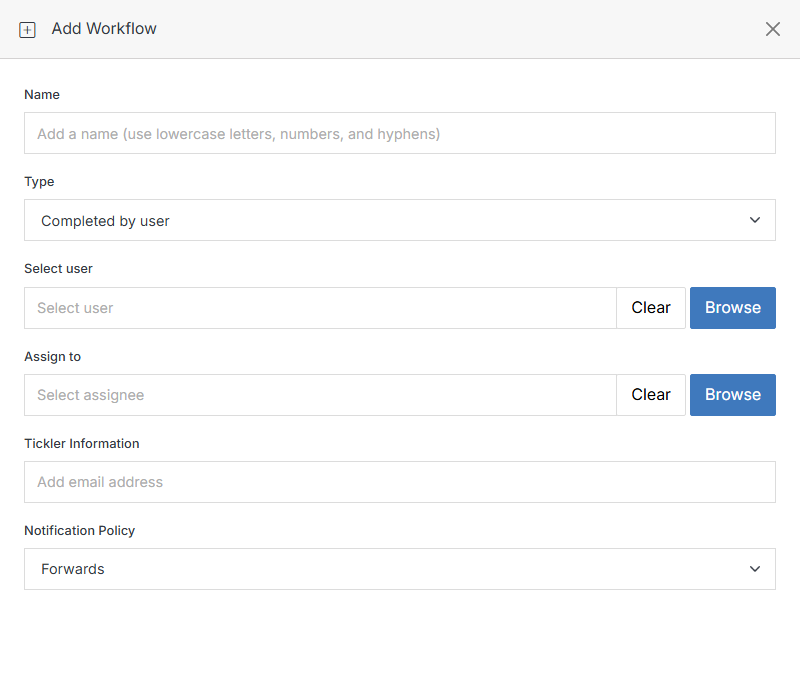
Same Completed by user / Assign to user fields as the Task triggers on the global Workflow page. Form Submission is also available and works the same as on a Module Form.
Datatable-style modules: Manager group + Task + Form Submission
Datatable-style modules -- including plain Modules and Module Forms, which are the same underlying object -- get three additional trigger types grouped under Manager:
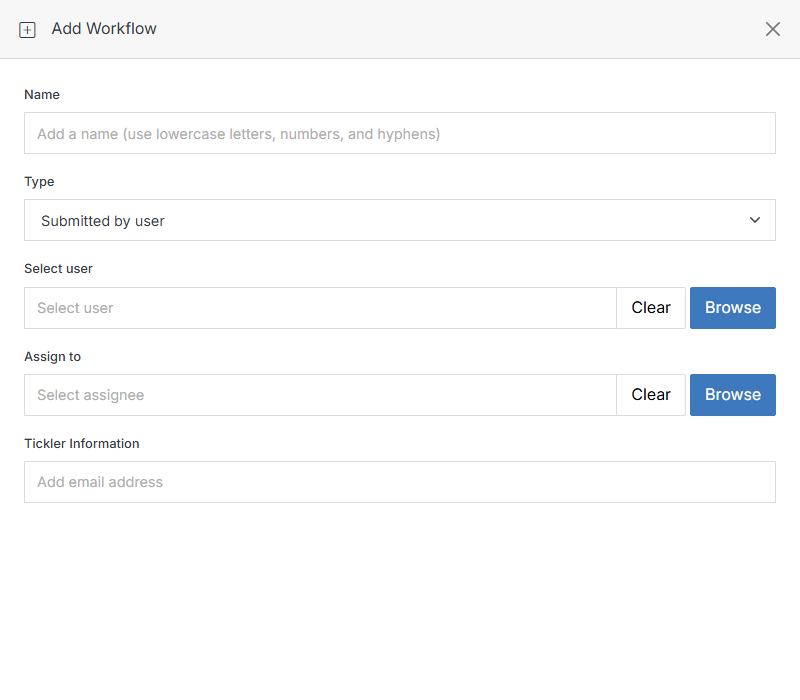
All three share the same Select user / Assign to / Tickler Information fields shown above.
Note:
If a rule you just added seems to have vanished from this list, check the global Workflow settings list — it shows every rule regardless of which module it's scoped to.