Update Website

Click the pencil icon over the live preview, or Update on a website's Website Overview dashboard, to edit its site title, framework, social links, and other settings.
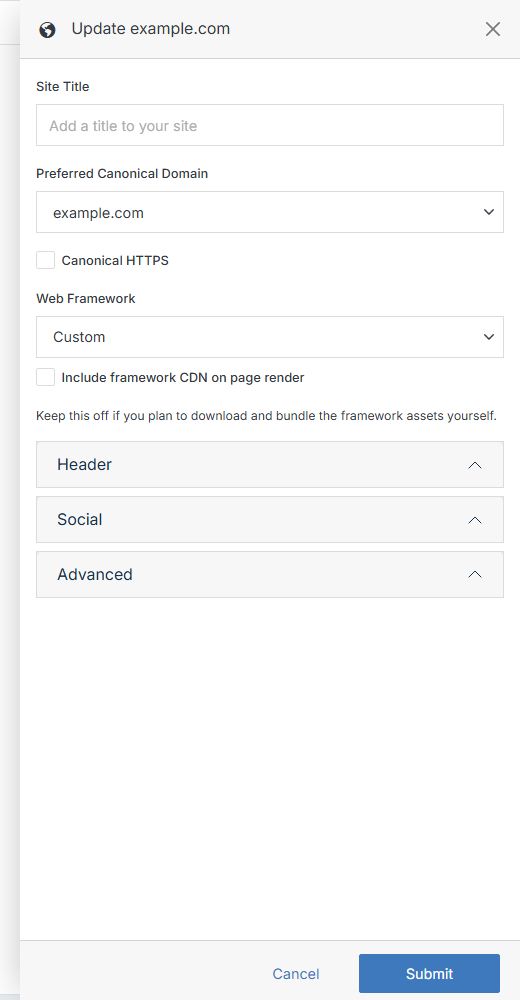
Update Website form

Name Description
Site Title Add or update the site title.
Preferred Canonical Domain Select which of the website's addresses (production, staging, etc.) search engines should treat as the canonical version.
Canonical HTTPS Check this to set the canonical tag to https instead of http.
Web Framework Choose the CSS/JS framework new pages are built with (Bootstrap 5, Bootstrap 4, Tailwind CSS, Bulma, Foundation 6), or Custom to manage your own.
Include framework CDN on page render Loads the framework from a CDN automatically. Leave this off if you plan to download and bundle the framework assets yourself.

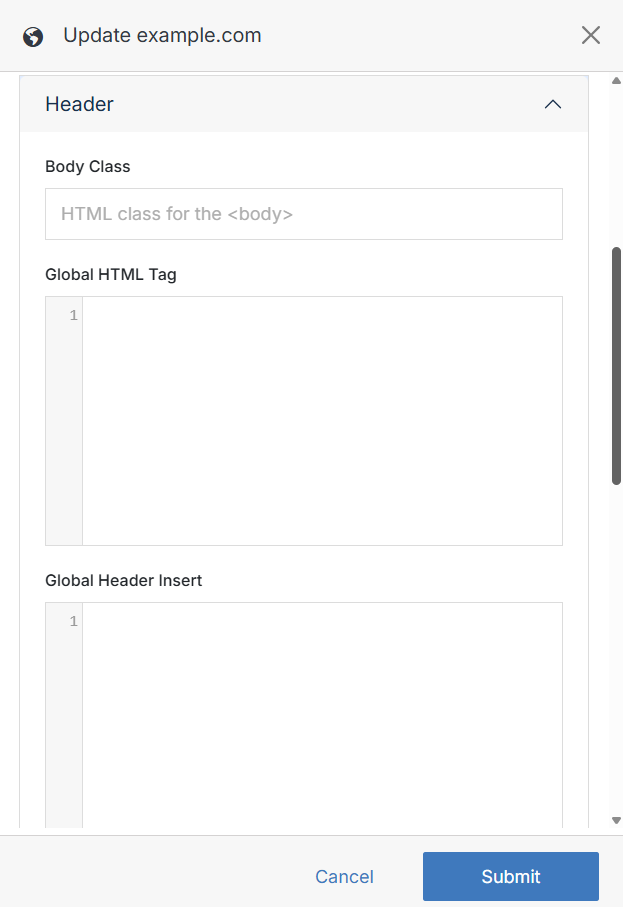
Assign a class to the <body> element and add Global HTML/Header code that applies across every page of the site.
Name Description
Body Class One or more HTML classes applied to the <body> element, separated by spaces.
Global HTML Tag HTML or code applied universally across all pages of the website.
Global Header Insert Code injected into the <head> of every page — useful for metadata, analytics, and third-party integrations.

Social

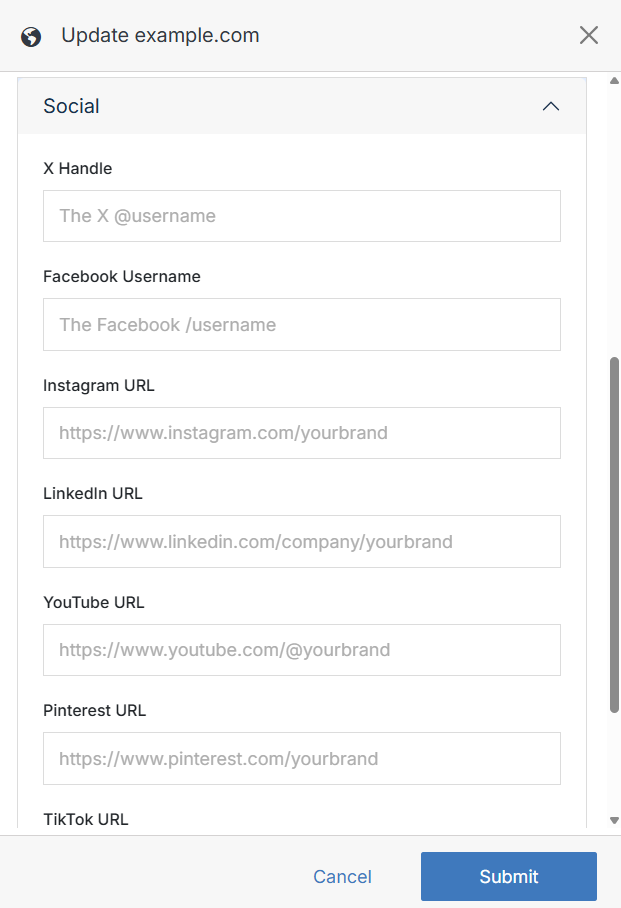
Manage the social links and handle used for card metadata across the site.
Name Description
X Handle Your X (Twitter) @username, used for card metadata.
Facebook Username Your Facebook /username.
Instagram URL Full URL to your Instagram profile.
LinkedIn URL Full URL to your LinkedIn company page.
YouTube URL Full URL to your YouTube channel.
Pinterest URL Full URL to your Pinterest profile.
TikTok URL Full URL to your TikTok profile.

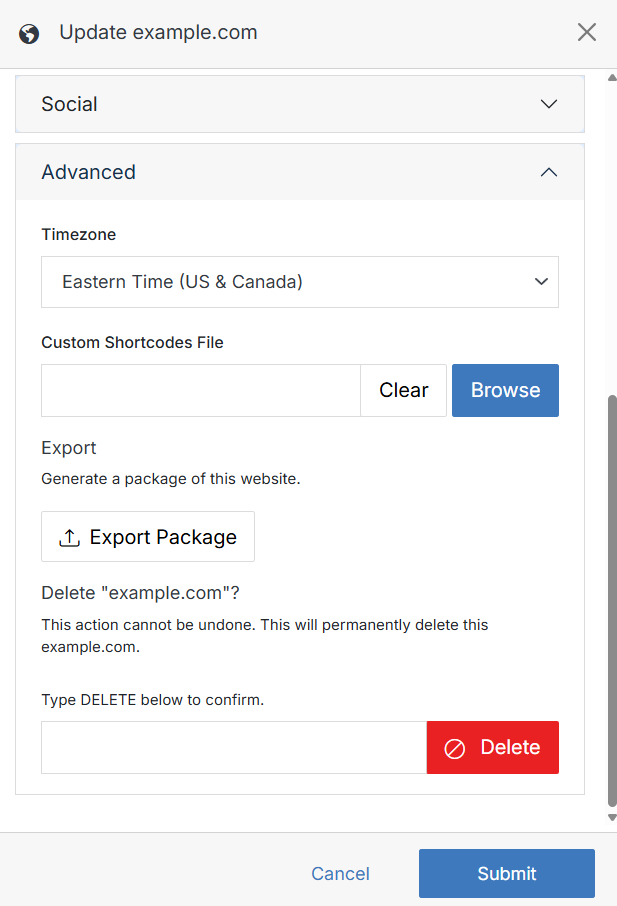
Advanced

Name Description
Timezone The timezone your website's dates and times are based on.
Custom Shortcodes File Upload a custom shortcodes file for use across the site. Shortcodes let you quickly embed elements into a page.
Export Click Export Package to generate a downloadable package of the website.
Delete Website Type DELETE and click Delete to permanently remove the website. This action cannot be undone.

Click Submit to save your changes.